
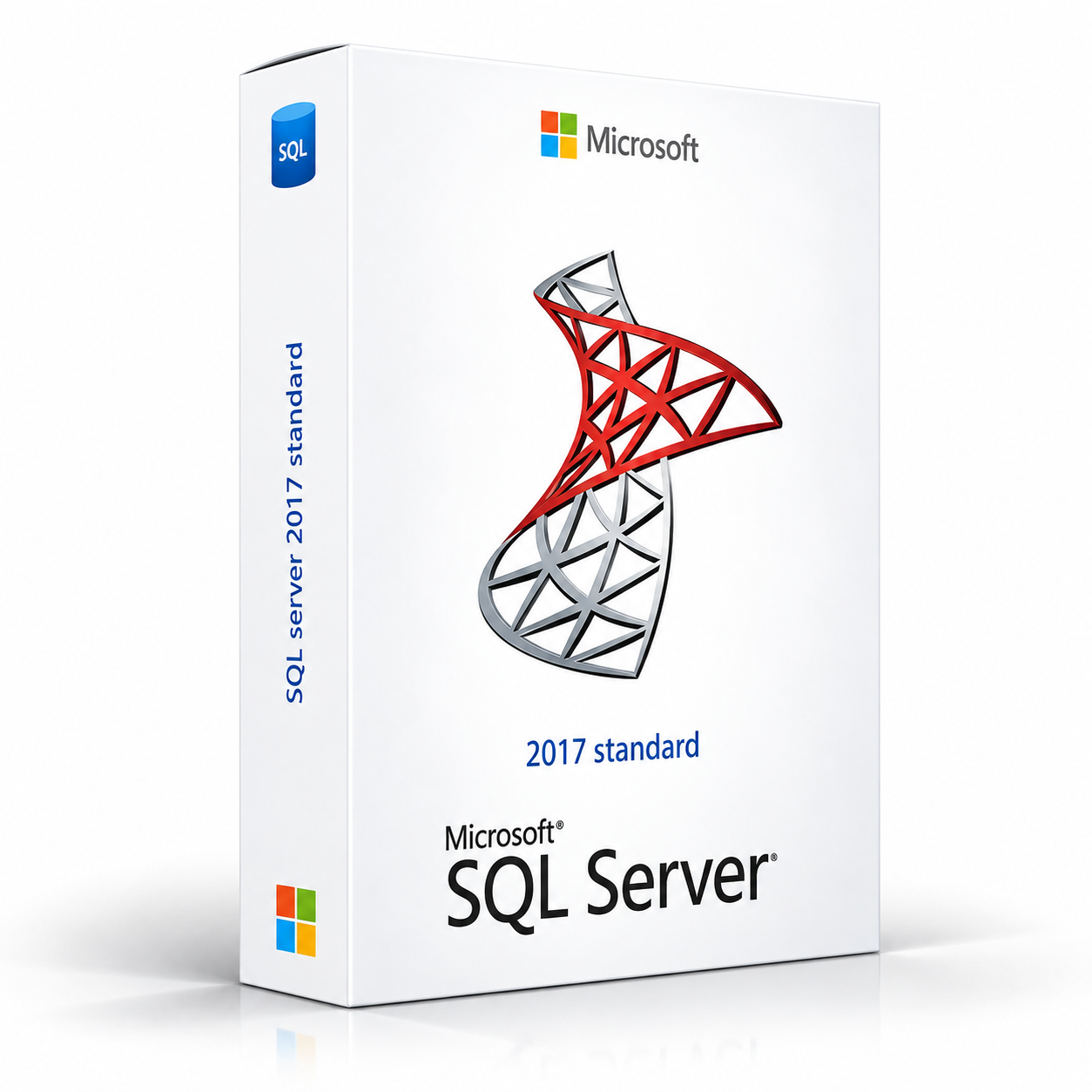
SQL Server 2017 Standard is a professional relational database management software solution providing database engine, reporting services, high availability, business intelligence and data management tools for building and managing enterprise databases on Windows and Linux servers.
SQL Server 2017 Standard – UK Digital Database Server Software Licence
SQL Server 2017 Standard is a comprehensive professional relational database management system designed for organisations that need powerful tools for storing, managing, querying and reporting on structured data in a server-based environment. It is ideal for small to medium-sized businesses, IT departments, database administrators, application developers and organisations that need a reliable and scalable relational database platform for line-of-business applications, web applications, data warehousing and business intelligence workloads.
SQL Server 2017 Standard provides a rich set of database engine, high availability, replication, reporting and business intelligence tools within the Standard edition licensing tier. It introduced significant new capabilities over previous releases including native support for Linux and Docker container deployment, graph database support for modelling complex entity relationships, adaptive query processing for improved query performance, Python integration for in-database machine learning alongside the existing R language support, and resumable online index rebuilds. As a perpetual licence product, SQL Server 2017 Standard provides reliable and full-featured database management capabilities without a recurring subscription fee.
For a complete data management setup, you can also explore our Microsoft software range, or consider Microsoft Office Access for desktop database solutions alongside SQL Server for enterprise data management.
Important Notice About SQL Server 2017 Standard
SQL Server 2017 Standard is a server software product licensed per server with Client Access Licences (CALs) required for each user or device accessing the server, or alternatively licensed per core for scenarios where CAL-based licensing is not appropriate. SQL Server 2017 Standard is subject to feature limitations compared to SQL Server 2017 Enterprise, including limits on maximum memory usage, maximum database size and availability of certain enterprise features such as Always On Availability Groups and advanced compression. Please review the SQL Server 2017 edition comparison to confirm Standard edition meets your requirements before purchasing.
Internet connectivity may be required during the initial activation process. SQL Server 2017 runs on Windows Server 2012 R2 and later as well as Linux distributions including Red Hat Enterprise Linux, SUSE Linux Enterprise Server and Ubuntu.
Why Choose SQL Server 2017 Standard?
- Professional relational database management system for small to medium-sized business workloads
- Native Linux and Docker container support for flexible deployment options
- Graph database support for modelling and querying complex entity relationships
- Adaptive query processing for improved query performance without manual tuning
- Python and R integration for in-database machine learning and advanced analytics
- High availability with Always On Failover Cluster Instances and basic availability groups
- SQL Server Reporting Services for professional report creation and delivery
- Perpetual licence with lifetime access to SQL Server 2017 Standard
- Digital delivery by email after order confirmation
- Installation and activation support available when needed
Key Features of SQL Server 2017 Standard
- Relational Database Engine: Store, manage and query structured data using the SQL Server relational database engine with full T-SQL language support, stored procedures, triggers, views, functions and comprehensive transaction management for enterprise data workloads.
- Linux and Docker Support: Deploy SQL Server 2017 on Linux distributions including Red Hat Enterprise Linux, SUSE Linux Enterprise Server and Ubuntu, or in Docker containers for flexible and modern infrastructure deployment options alongside traditional Windows Server deployments.
- Graph Database: Model and query complex many-to-many relationships and network data using the new graph database extensions introduced in SQL Server 2017, with node and edge tables and graph-specific query syntax for social networks, recommendation engines and fraud detection scenarios.
- Adaptive Query Processing: Benefit from automatic query performance improvements through adaptive query processing features including batch mode memory grant feedback, batch mode adaptive joins and interleaved execution that adjust query execution plans based on actual runtime statistics.
- Python Integration: Run Python scripts directly within the SQL Server engine using the Machine Learning Services feature alongside the existing R language integration for in-database machine learning, predictive analytics and advanced data processing without moving data out of the database.
- High Availability: Implement high availability and disaster recovery solutions using Always On Failover Cluster Instances for server-level protection and basic Always On Availability Groups for database-level protection within the Standard edition feature set.
- SQL Server Reporting Services: Create, manage and deliver professional paginated reports, interactive reports and dashboards using SQL Server Reporting Services with a web-based report portal for self-service and enterprise reporting.
- SQL Server Agent: Automate database maintenance tasks, scheduled jobs, alerts and notifications using SQL Server Agent for reliable and consistent database administration automation.
- Replication: Distribute and synchronise database objects and data between servers using transactional, snapshot and merge replication for data distribution, reporting offloading and data consolidation scenarios.
- Backup and Recovery: Protect database data with comprehensive backup and recovery capabilities including full, differential and transaction log backups, point-in-time recovery and backup to Microsoft Azure Blob Storage for off-site data protection.
- Security: Protect sensitive data using row-level security, dynamic data masking, transparent data encryption, Always Encrypted for encrypting data in use and comprehensive auditing capabilities for regulatory compliance.
- SQL Server Management Studio: Manage SQL Server databases, users, security, jobs and configurations using SQL Server Management Studio, the comprehensive graphical management tool for SQL Server administration and development.
SQL Server 2017 Standard vs SQL Server 2017 Enterprise, SQL Server 2019, Azure SQL and MySQL
SQL Server 2017 Standard is a cost-effective relational database platform for small to medium-sized business workloads. SQL Server 2017 Enterprise removes Standard edition feature limits, SQL Server 2019 is a newer release with additional capabilities, Azure SQL is a fully managed cloud database service, while MySQL is a widely used open-source relational database alternative.
| Software | Best For | Main Use |
|---|---|---|
| SQL Server 2017 Standard | Small to medium-sized businesses needing a cost-effective relational database platform | Relational database management, reporting services, basic high availability and business intelligence for SMB workloads |
| SQL Server 2017 Enterprise | Large organisations needing the full SQL Server feature set without edition limits | Enterprise-scale database management with unlimited memory, advanced compression, full Always On and all enterprise features |
| SQL Server 2019 Standard | Organisations needing a more recent SQL Server release with updated features | Relational database management with Big Data Clusters, improved performance and updated security features |
| Azure SQL | Organisations needing a fully managed cloud-based SQL Server database service | Fully managed cloud relational database with automatic patching, scaling and built-in high availability |
| MySQL | Developers and organisations needing a free open-source relational database | Open-source relational database management for web applications, content management systems and development environments |
Which Software Should You Choose?
- Choose SQL Server 2017 Standard if you need a cost-effective perpetual relational database platform with the database engine, reporting services and basic high availability for small to medium-sized business workloads on Windows or Linux.
- Choose SQL Server 2017 Enterprise if you need the full SQL Server feature set without memory limits, compression restrictions or availability group limitations for large-scale enterprise database workloads.
- Choose SQL Server 2019 Standard if you need a more recent SQL Server release with updated features including Big Data Clusters, accelerated database recovery and improved performance.
- Choose Azure SQL if you need a fully managed cloud-based database service with automatic patching, scaling and built-in high availability without managing server infrastructure.
- Choose MySQL if you need a free open-source relational database for web applications or development environments without a commercial licence cost.
Recommended Products
- Microsoft Software – explore the full range of Microsoft software products.
- Microsoft Office Access 2021 – suitable for desktop database applications that connect to SQL Server as a back-end.
- Microsoft Office Access 2024 – suitable for the latest Access front-end with SQL Server back-end database solutions.
- Windows Server Licences – suitable if you need a compatible Windows Server operating system for SQL Server deployment.
- Microsoft Project – suitable for planning and managing database implementation projects.
- Microsoft Office – explore all available Microsoft software versions and licence options.
System Requirements for SQL Server 2017 Standard
| Component | Requirement |
|---|---|
| Platform | Windows Server or Linux server |
| Operating System (Windows) | Windows Server 2016, Windows Server 2012 R2, Windows Server 2012; Windows 10, Windows 8.1 (development and testing only) |
| Operating System (Linux) | Red Hat Enterprise Linux 7.3–7.6, SUSE Linux Enterprise Server v12 SP2, Ubuntu 16.04 LTS |
| Processor | x64 processor 1.4 GHz minimum; 2.0 GHz or faster recommended |
| Memory | 1 GB minimum; 4 GB or more recommended; Standard edition maximum: 128 GB |
| Storage | 6 GB available disk space minimum for database engine and tools installation |
| Display | 1024 x 768 screen resolution minimum for management tools |
| Network | Gigabit Ethernet or faster network adapter recommended for server deployments |
| Framework | .NET Framework 4.6 required for certain features on Windows deployments |
Delivery and Activation
- Product: SQL Server 2017 Standard
- Platform: Windows Server or Linux
- Licence Type: Perpetual server licence
- Licence Duration: Lifetime access to SQL Server 2017 Standard
- Delivery Method: Digital delivery by email
- Activation: Activation instructions provided after purchase
- Support: Installation and activation assistance available
How to Get Started
- Complete your order for SQL Server 2017 Standard.
- Receive your product key and activation instructions by email after order confirmation.
- Check that your server meets the SQL Server 2017 Standard system requirements.
- Download the SQL Server 2017 Standard installer from the Microsoft website.
- Run the SQL Server installation wizard and select the features and components you require.
- Enter your product key when prompted to activate your perpetual licence.
- Complete the installation and configure your SQL Server instance for your environment.
- Contact our support team if you need help with installation or activation.
Who Is SQL Server 2017 Standard For?
- Small to medium-sized businesses needing a reliable relational database platform
- IT departments managing departmental and line-of-business database applications
- Database administrators managing SQL Server instances for business applications
- Application developers building database-driven web and desktop applications
- Organisations deploying SQL Server on Linux or in Docker containers
- Organisations needing SQL Server Reporting Services for business reporting
- Users upgrading from SQL Server 2014 or earlier to the 2017 Standard release
Important Licence Information
SQL Server 2017 Standard is a perpetual server licence product providing lifetime access to the 2017 version of SQL Server Standard. It does not include upgrades to future versions of SQL Server and is not a cloud subscription. SQL Server 2017 Standard is available under Server and Client Access Licence (CAL) licensing or per-core licensing. CAL-based licensing requires a SQL Server licence for the server and a CAL for each user or device accessing the server. Per-core licensing is available for environments where all cores on the server are licensed. Please review Microsoft’s SQL Server 2017 licensing guide to determine the appropriate licensing model for your deployment.
SQL Server 2017 Standard has Standard edition feature limits including a maximum of 128 GB of buffer pool memory and basic Always On Availability Groups limited to two nodes. Before purchasing, please make sure your server meets the system requirements and that the Standard edition feature set meets your database workload requirements.
What is SQL Server 2017 Standard?
SQL Server 2017 Standard is a professional relational database management system providing the database engine, reporting services, high availability, replication and business intelligence tools for building and managing enterprise databases on Windows Server and Linux, with Standard edition feature limits suitable for small to medium-sized business workloads.
Does SQL Server 2017 Standard run on Linux?
Yes. SQL Server 2017 was the first version of SQL Server to support Linux, running on Red Hat Enterprise Linux, SUSE Linux Enterprise Server and Ubuntu, as well as in Docker containers for flexible and modern infrastructure deployment alongside traditional Windows Server deployments.
What is the difference between SQL Server 2017 Standard and Enterprise?
SQL Server 2017 Standard includes the core database engine, reporting services and basic high availability features with limits including a maximum of 128 GB buffer pool memory and basic two-node Always On Availability Groups. SQL Server 2017 Enterprise removes these limits and adds advanced features including unlimited memory, advanced compression, full Always On Availability Groups with up to eight secondary replicas and additional enterprise-grade capabilities.
Does SQL Server 2017 Standard include Reporting Services?
Yes. SQL Server 2017 Standard includes SQL Server Reporting Services for creating, managing and delivering professional paginated reports, interactive reports and dashboards through a web-based report portal for self-service and enterprise reporting.
Does SQL Server 2017 Standard support Python?
Yes. SQL Server 2017 introduced Python integration alongside the existing R language support through the Machine Learning Services feature, allowing Python scripts to be run directly within the SQL Server engine for in-database machine learning and advanced analytics without moving data out of the database.
What is graph database support in SQL Server 2017?
SQL Server 2017 introduced graph database extensions allowing complex many-to-many relationships and network data to be modelled using node and edge tables with graph-specific query syntax, making it suitable for scenarios such as social networks, recommendation engines, fraud detection and other relationship-heavy data models.
What are the memory limits for SQL Server 2017 Standard?
SQL Server 2017 Standard edition limits the buffer pool memory to a maximum of 128 GB. Users who need more than 128 GB of buffer pool memory for large-scale database workloads should consider SQL Server 2017 Enterprise, which has no buffer pool memory limit.
Does SQL Server 2017 Standard support high availability?
Yes. SQL Server 2017 Standard supports high availability through Always On Failover Cluster Instances for server-level protection and basic Always On Availability Groups limited to two nodes for database-level protection. The full Always On Availability Groups feature with up to eight secondary replicas is available in SQL Server 2017 Enterprise.
Is SQL Server 2017 Standard a subscription or a perpetual licence?
SQL Server 2017 Standard is a perpetual licence product, meaning you pay once for lifetime access to the 2017 version without ongoing subscription fees. It does not include upgrades to future versions of SQL Server.
What licensing models are available for SQL Server 2017 Standard?
SQL Server 2017 Standard is available under two licensing models: Server and Client Access Licence licensing, which requires a SQL Server licence for the server plus a CAL for each user or device accessing the server; and per-core licensing, where all physical cores on the server are licensed in pairs with a minimum of four core licences per server. The most appropriate model depends on the number of users and the deployment scenario.
How will I receive my SQL Server 2017 Standard licence?
Your product key and activation instructions will be delivered digitally by email after order confirmation.
Do you provide installation support?
Yes. Installation and activation support is available if you need help setting up SQL Server 2017 Standard on your Windows Server or Linux server.


Reviews
There are no reviews yet.