
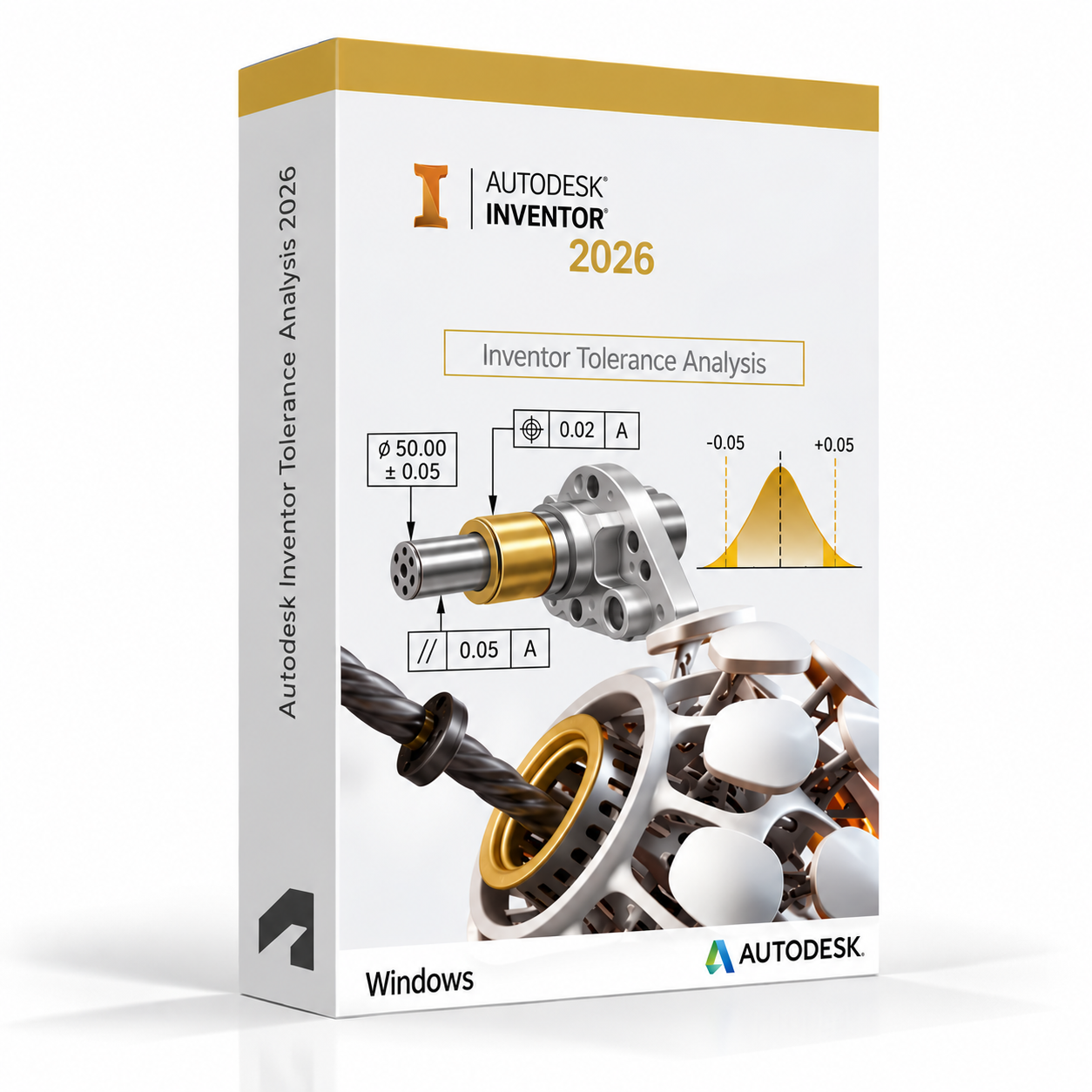
Autodesk Inventor Tolerance Analysis 2026 for Windows – UK Digital Tolerance Analysis Licence
Autodesk Inventor Tolerance Analysis 2026 for Windows is a professional tolerance stack-up and dimensional variation analysis software solution designed for users who need integrated tools for analysing the cumulative effects of manufacturing tolerances, GD&T annotations and dimensional variation on assembly fit, function and performance directly within the Autodesk Inventor environment on a Windows PC. It is ideal for mechanical engineering students, product design learners, manufacturing engineering students, quality engineering learners and users who need a comprehensive tolerance analysis workflow covering 1D and 2D tolerance stack-up, worst case analysis, statistical analysis and GD&T validation from Inventor 3D models.
Inventor Tolerance Analysis 2026 allows users to define, analyse and optimise engineering tolerances on Inventor parts and assemblies to ensure that designs will assemble correctly and function as intended across the full range of manufacturing variation. It helps users identify critical tolerance contributors, predict assembly gaps and interferences, evaluate worst case and statistical assembly outcomes and validate GD&T annotations for manufacturability and function. Whether analysing a simple linear tolerance stack or a complex multi-loop assembly variation study, Inventor Tolerance Analysis provides a professional-grade integrated dimensional engineering environment on Windows.
For a complete design and engineering setup, you can also explore our Autodesk software, compare related Inventor products, or choose Autodesk Inventor Professional 2026 for Windows if you need the full mechanical CAD and engineering simulation platform alongside your tolerance analysis workflow.
Important Notice About Inventor Tolerance Analysis 2026 for Windows
Autodesk Inventor Tolerance Analysis 2026 is a Windows-only application and is not available natively on macOS. Users who need tolerance analysis software on a Mac should use a compatible Windows environment. Inventor Tolerance Analysis requires a Windows PC that meets the system requirements for the application.
This product is suitable for personal learning, training and non-commercial tolerance analysis and dimensional engineering projects. If you need Inventor Tolerance Analysis for commercial, manufacturing or professional client work, make sure your licence type clearly allows commercial use.
Why Choose Autodesk Inventor Tolerance Analysis 2026 for Windows?
- Professional tolerance stack-up and dimensional variation analysis integrated within Autodesk Inventor
- Identifies cumulative effects of manufacturing tolerances on assembly fit and function
- Supports worst case and statistical tolerance analysis methods
- Directly linked to Inventor 3D models and GD&T annotations for seamless design to analysis workflows
- Identifies critical tolerance contributors and optimises tolerances for cost and quality
- Validates GD&T annotations and dimensional requirements against assembly function
- Suitable for compatible 64-bit Windows PCs
- Lifetime access according to this product offer
- Digital delivery by email after order confirmation
- Activation instructions included
- Installation and activation support available when needed
Key Features of Inventor Tolerance Analysis 2026
- 1D Tolerance Stack-Up Analysis: Perform one-dimensional tolerance stack-up analysis to evaluate the cumulative effect of linear dimensional tolerances on assembly gaps, interferences and functional requirements.
- 2D Tolerance Analysis: Extend tolerance analysis to two-dimensional loop studies to evaluate the combined effects of linear and angular tolerances on assembly performance in more complex geometric configurations.
- Worst Case Analysis: Calculate worst case assembly outcomes by combining all tolerances at their maximum and minimum limits to determine the extreme bounds of assembly variation for design validation.
- Statistical Tolerance Analysis: Apply statistical analysis methods including RSS and Monte Carlo simulation to predict the probable distribution of assembly outcomes across a manufacturing population for more realistic tolerance evaluation.
- GD&T Integration: Read and analyse GD&T annotations applied to Inventor models, incorporating geometric tolerances such as flatness, perpendicularity, position and runout into tolerance stack-up studies.
- Tolerance Contributor Identification: Identify the most significant tolerance contributors in an assembly stack-up to focus tolerance optimisation efforts on the dimensions that have the greatest impact on assembly performance.
- Tolerance Optimisation: Optimise individual tolerances within a stack-up to balance manufacturing cost against assembly quality, tightening critical tolerances and relaxing less critical ones for cost-effective design.
- Assembly Gap and Interference Analysis: Predict assembly gaps and interferences across the full range of manufacturing variation to ensure assemblies will fit correctly and function as intended throughout production.
- Sensitivity Analysis: Evaluate the sensitivity of assembly outcomes to changes in individual tolerance values to understand which tolerances have the most influence on assembly performance and quality.
- Tolerance Analysis Reports: Generate comprehensive tolerance analysis reports showing stack-up loops, contributor percentages, worst case results, statistical outcomes and tolerance recommendations for engineering review.
- CAD Integration: Work directly with Inventor 3D models and assemblies, reading dimensional and GD&T data from the design model to maintain consistency between design intent and tolerance analysis.
- Design Validation: Validate that engineering designs will meet functional requirements across the full range of manufacturing variation before committing to tooling, fixturing and production investment.
Inventor Tolerance Analysis 2026 vs Inventor Professional, DimXpert, 3DCS and Sigmetrix CETOL
Autodesk Inventor Tolerance Analysis 2026 for Windows provides dedicated tolerance stack-up and dimensional variation analysis integrated within Inventor. Inventor Professional includes basic GD&T annotation tools without dedicated tolerance analysis, DimXpert is a SolidWorks-integrated GD&T annotation and analysis tool, 3DCS is a dedicated multi-platform dimensional compliance simulation tool, while Sigmetrix CETOL is an advanced tolerance analysis platform for complex 3D variation studies.
| Software | Best For | Main Use |
|---|---|---|
| Inventor Tolerance Analysis 2026 | Mechanical engineers, product designers and quality engineering students | Integrated 1D and 2D tolerance stack-up, worst case and statistical analysis, GD&T validation within Inventor |
| Autodesk Inventor Professional | Mechanical engineers and product design students | 3D mechanical CAD with GD&T annotation tools and basic engineering simulation |
| Autodesk Fusion 360 | Product designers, makers and engineering students | Integrated cloud-connected CAD, CAM and CAE for product design and manufacturing workflows |
| 3DCS | Dimensional engineers and manufacturing quality teams | Advanced 3D dimensional compliance simulation and variation analysis for complex multi-loop assemblies |
| Sigmetrix CETOL | Advanced tolerance engineers and quality assurance professionals | Advanced 3D tolerance analysis, GD&T validation and dimensional variation management for complex assemblies |
Which Software Should You Choose?
- Choose Autodesk Inventor Tolerance Analysis 2026 for Windows if you need integrated tolerance stack-up analysis, worst case and statistical analysis and GD&T validation directly within the Autodesk Inventor environment.
- Choose Autodesk Inventor Professional 2026 if you need the full mechanical CAD platform with GD&T annotation tools and basic engineering simulation without dedicated tolerance stack-up analysis.
- Choose Autodesk Fusion 360 for Windows if you need a cloud-connected integrated CAD, CAM and CAE platform for product design and manufacturing workflows.
- Choose 3DCS if you need advanced 3D dimensional compliance simulation and variation analysis for complex multi-loop assembly studies beyond the scope of Inventor Tolerance Analysis.
- Choose Sigmetrix CETOL if you need an advanced 3D tolerance analysis and GD&T validation platform for complex assembly variation management workflows.
Recommended Products
- Autodesk Software – compare AutoCAD, Revit, Maya, Civil 3D and other Autodesk tools.
- Autodesk Inventor – explore more Inventor versions for Windows.
- Autodesk Inventor Professional 2026 for Windows – recommended for full mechanical CAD, simulation and engineering design workflows.
- Autodesk Inventor Nastran 2026 for Windows – suitable for advanced FEA and engineering simulation workflows.
- Windows Licences – suitable if you need a compatible Windows operating system.
- Microsoft Office – useful for project documents, spreadsheets, reports and client presentations.
System Requirements for Autodesk Inventor Tolerance Analysis 2026 for Windows
| Component | Requirement |
|---|---|
| Platform | Windows PC |
| Operating System | 64-bit Microsoft Windows 11 or Windows 10 |
| Processor | Basic: 2.5 GHz or faster processor; recommended: 3+ GHz multi-core processor for complex tolerance analysis calculations and large assembly studies |
| Memory | Basic: 8 GB RAM; recommended: 16 GB RAM or more for large assembly tolerance studies and Monte Carlo simulation workflows |
| Display | 1280 x 1024 display minimum; recommended: 1920 x 1080 or higher with True Color |
| Graphics | Minimum: 1 GB GPU compatible with DirectX 11; recommended: 4 GB GPU compatible with DirectX 12 for 3D viewport performance |
| Storage | 40 GB available disk space for Inventor Tolerance Analysis installation; SSD recommended for project files and analysis data |
| Pointing Device | Three-button mouse recommended for 3D viewport navigation |
| Internet | Required for download, installation, sign-in, activation, updates and Autodesk account access |
Delivery and Activation
- Product: Autodesk Inventor Tolerance Analysis 2026 for Windows
- Platform: Windows PC
- Licence Type: Digital licence
- Use Type: Educational, personal and non-commercial use
- Licence Duration: Lifetime access according to this product offer
- Delivery Method: Digital delivery by email
- Activation: Activation instructions provided after purchase
- Support: Installation and activation assistance available
How to Get Started
- Complete your order for Autodesk Inventor Tolerance Analysis 2026 for Windows.
- Receive your product details and activation instructions by email.
- Check that your Windows PC meets the Inventor Tolerance Analysis 2026 system requirements.
- Download and install Inventor Tolerance Analysis 2026 on your compatible Windows computer.
- Sign in with the Autodesk account or activation method provided with your order.
- Follow the activation instructions to complete setup.
- Restart Inventor Tolerance Analysis if required and begin your tolerance stack-up and dimensional analysis workflow.
- Contact our support team if you need help with installation or activation.
Who Is Autodesk Inventor Tolerance Analysis 2026 for Windows For?
- Mechanical engineering students and product design learners
- Quality engineering and dimensional engineering students
- Manufacturing engineering learners working on tolerance optimisation
- Users learning GD&T validation and tolerance stack-up analysis workflows
- Users working on worst case and statistical assembly variation studies
- Users who need integrated tolerance analysis within Autodesk Inventor
- Users who prefer a seamless CAD to tolerance analysis workflow within the Inventor environment
Important Licence Information
This Autodesk Inventor Tolerance Analysis 2026 for Windows licence is intended for educational, personal and non-commercial use. It is suitable for learning, training and personal tolerance stack-up and dimensional engineering projects. It should not be used for commercial, manufacturing or professional client work unless your licence type clearly allows commercial use.
Inventor Tolerance Analysis is a Windows-only application and is not available natively on macOS. Before purchasing, please make sure your Windows PC is compatible with Inventor Tolerance Analysis 2026 and that this licence type matches your intended use.
What is Autodesk Inventor Tolerance Analysis 2026 for Windows?
Autodesk Inventor Tolerance Analysis 2026 for Windows is a professional tolerance stack-up and dimensional variation analysis software integrated within Autodesk Inventor for analysing the cumulative effects of manufacturing tolerances and GD&T on assembly fit and function on compatible Windows PCs.
Does Inventor Tolerance Analysis 2026 work on Windows 11?
Yes. Inventor Tolerance Analysis 2026 is designed for compatible 64-bit Windows systems, including Windows 11.
Can I install Inventor Tolerance Analysis 2026 on Windows 10?
Yes. Inventor Tolerance Analysis 2026 supports compatible 64-bit Windows 10 systems.
Does Inventor Tolerance Analysis 2026 work on Mac?
No. Autodesk Inventor Tolerance Analysis is a Windows-only application and is not available natively on macOS. Users who need tolerance analysis software on a Mac should use a compatible Windows environment.
What is tolerance stack-up analysis?
Tolerance stack-up analysis is the process of calculating the cumulative effect of individual part and assembly tolerances on a critical functional dimension or assembly requirement. It helps engineers predict whether an assembly will fit and function correctly across the full range of manufacturing variation before committing to production.
What is the difference between worst case and statistical tolerance analysis?
Worst case tolerance analysis calculates assembly outcomes by combining all tolerances at their extreme limits simultaneously, representing the absolute worst possible scenario. Statistical tolerance analysis uses methods such as RSS or Monte Carlo simulation to predict the probable distribution of assembly outcomes across a manufacturing population, typically yielding less conservative and more realistic results.
Does Inventor Tolerance Analysis support GD&T?
Yes. Inventor Tolerance Analysis integrates with GD&T annotations applied to Inventor models, incorporating geometric tolerances such as flatness, perpendicularity, position and runout into tolerance stack-up studies for comprehensive dimensional analysis.
Can Inventor Tolerance Analysis identify critical tolerance contributors?
Yes. Inventor Tolerance Analysis identifies the most significant tolerance contributors in an assembly stack-up, allowing engineers to focus optimisation efforts on the dimensions that have the greatest influence on assembly performance and quality.
Does Inventor Tolerance Analysis integrate with Inventor 3D models?
Yes. Inventor Tolerance Analysis integrates directly with Inventor 3D models and assemblies, reading dimensional and GD&T data from the design model to maintain consistency between design intent and tolerance analysis results.
Can I use this licence for commercial projects?
This product is described as an educational licence for personal, learning and non-commercial use. Commercial use requires a licence type that allows commercial work.
How will I receive my Inventor Tolerance Analysis 2026 licence?
Your product details and activation instructions will be delivered digitally by email after order confirmation.
Do you provide installation support?
Yes. Installation and activation support is available if you need help setting up Autodesk Inventor Tolerance Analysis 2026 for Windows.



Samuel M. –
No issues, very easy process.
Holly T. –
All done within minutes, brilliant service.
Archie S. –
This was my first time trying omegakeys.co.uk, and I couldn’t be happier with how it turned out. The process was simple, the instructions were clear, and everything worked exactly as expected. The activation was immediate, which saved me a lot of time. I felt completely confident throughout the entire process. Overall, a very trustworthy and reliable service.
Matthew E. –
The overall experience was excellent and exceeded my expectations. Everything was set up within minutes, and I didn’t face any issues whatsoever. The process was professional, quick, and stress-free. I really liked how secure it felt from start to finish. Highly recommended.
Hannah P. –
Everything was active in minutes. The process was simple and reliable.
Joanne S. –
Setup wasn’t complicated at all.
Simon B. –
The service worked exactly as promised. Everything was fast, reliable, and stress-free. I had a great experience from start to finish. I’ll definitely return.
Jacob F. –
Efficient and very reliable.
Hannah L. –
I was expecting some hassle, but it went smoother than I thought.
Eva B. –
This was a very smooth and professional experience. Everything worked perfectly and without delay. The process was quick, secure, and stress-free. Highly recommend.
Zahra L. –
Setup was fine, no complaints.
Hamza H. –
Got it running without trouble.
Kieran P. –
Didn’t run into any problems.
Abigail L. –
Very fast and reliable service. Everything was set up instantly without any problems.
Arthur H. –
There were moments where it felt slow enough to be concerning, but it completed normally and worked afterwards.
Alice I. –
Overall, a decent and smooth experience.
Daniel T. –
About as simple as it gets.
Mohammad K. –
Instructions were clear and easy to follow.
Olivia T. –
It worked first time, which honestly surprised me.
Jamie H. –
No major complaints. It did what it needed to do without causing problems.
Anna B. –
It worked in the end, though the experience felt more functional than polished.
Natalie R. –
It got there eventually. Nothing broke, so that’s fine by me.
Alistair W. –
I wouldn’t say it impressed me, but I also can’t fault it for breaking.
Poppy T. –
Pretty average experience from start to finish.
Daisy L. –
At first it wasn’t obvious what was happening, but after waiting, everything completed.
Jordan E. –
Took a bit longer than expected, but still easy enough.
Salma C. –
I went in with low expectations, so I was relieved when nothing failed. It wasn’t fast, but it didn’t cause problems either.
Yusuf F. –
I was a bit unsure at first, but once I followed the instructions, it went smoothly.
Nicola L. –
Activation wasn’t instant, but it only took a short moment.
Liam B. –
Did the job without any fuss.