
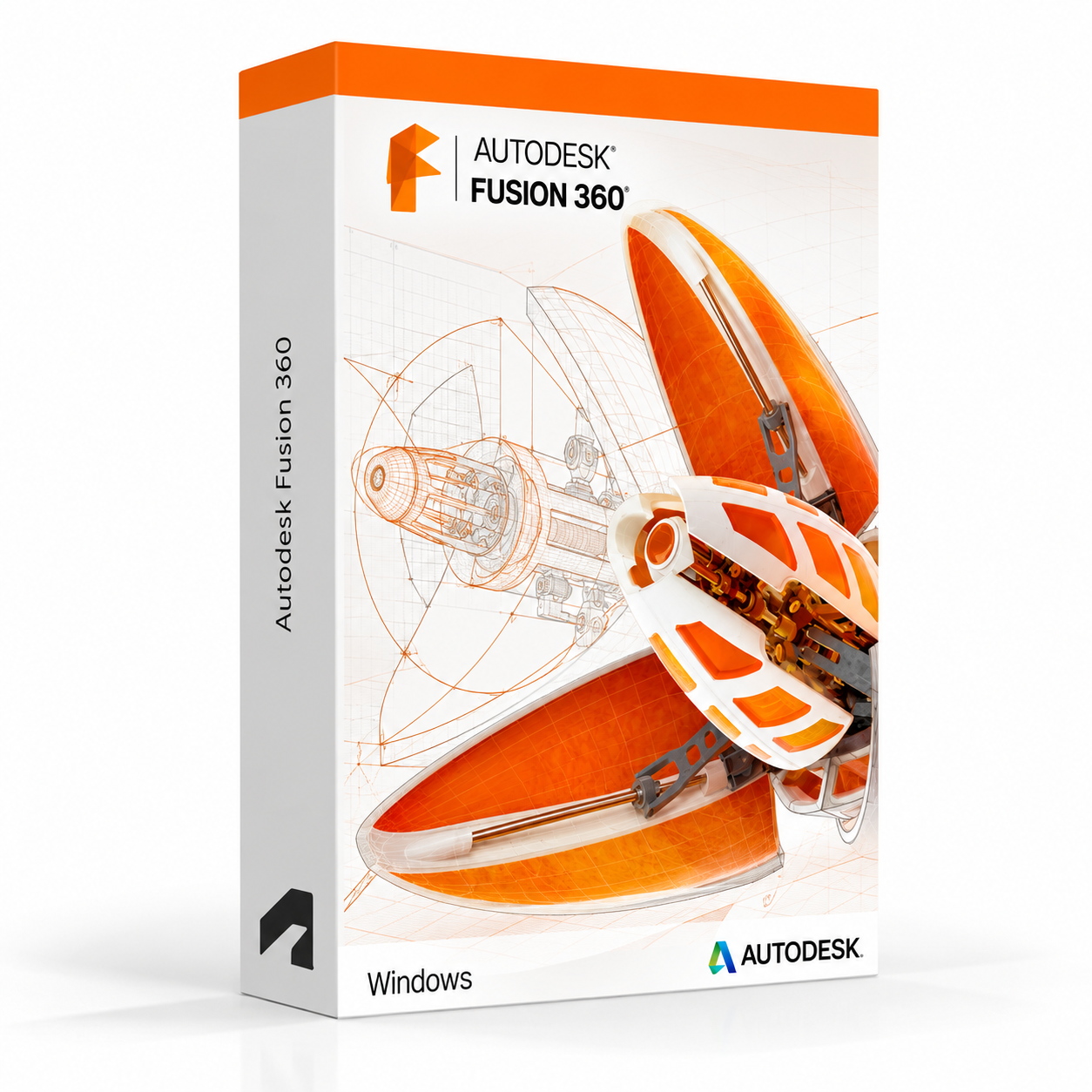
Autodesk Fusion 360 for Windows – UK Digital CAD CAM Licence
Autodesk Fusion 360 for Windows is a professional cloud-connected CAD, CAM, CAE and PCB design software solution designed for users who need integrated tools for 3D product design, engineering simulation, manufacturing preparation, electronics design and collaborative product development on a Windows PC. It is ideal for product design students, mechanical engineering learners, makers, hobbyists, industrial designers and users who need a single integrated platform covering the full product design and manufacturing workflow from concept through to production.
Fusion 360 combines parametric 3D modelling, freeform sculpting, assembly design, simulation, generative design, CAM toolpath generation and PCB layout in a single cloud-connected application. It helps users design, test and prepare products for manufacture faster by keeping design, engineering and manufacturing data connected throughout the product development process. With cloud storage, collaboration features and regular updates, Fusion 360 provides a modern and integrated product design environment for Windows users.
For a complete design setup, you can also explore our Autodesk software, compare related products, or choose Autodesk Inventor for Windows if you need a dedicated mechanical engineering and product design platform with deeper assembly and documentation tools.
Important Notice About Fusion 360 for Windows
Autodesk Fusion 360 is available for both Windows and macOS. This listing is for the Windows version. Fusion 360 requires an internet connection for sign-in, cloud storage and access to certain features. Some features are available for limited offline use after initial sign-in.
This product is suitable for personal learning, training and non-commercial product design and engineering projects. If you need Fusion 360 for commercial, manufacturing or professional client work, make sure your licence type clearly allows commercial use.
Why Choose Autodesk Fusion 360 for Windows?
- Integrated CAD, CAM, CAE and PCB design platform in a single cloud-connected application
- Designed for product design, mechanical engineering, manufacturing preparation and electronics design
- Combines parametric modelling, freeform sculpting, simulation and CAM toolpath generation
- Cloud storage and collaboration features for connected product development workflows
- Includes generative design tools for exploring optimised design solutions
- Suitable for product design students, makers, hobbyists and engineering learners
- Compatible with Windows PCs and regularly updated through Autodesk’s cloud platform
- Lifetime access according to this product offer
- Digital delivery by email after order confirmation
- Activation instructions included
- Installation and activation support available when needed
Key Features of Autodesk Fusion 360
- Parametric 3D Modelling: Create precise 3D models using parametric modelling tools with a fully history-based design approach for easy design iteration and modification.
- Freeform Sculpting: Use T-Spline freeform sculpting tools to create organic and complex shapes that complement parametric modelling for industrial and consumer product design.
- Assembly Design: Build multi-component assemblies with joints, constraints and motion studies to design and validate complete product mechanisms and assemblies.
- Simulation and CAE: Run structural, thermal, modal and other simulation studies directly within Fusion 360 to validate designs and identify potential engineering issues before manufacturing.
- CAM and Toolpath Generation: Generate 2.5-axis, 3-axis, 4-axis and 5-axis CNC machining toolpaths directly from 3D models to prepare designs for CNC manufacturing workflows.
- Generative Design: Use generative design tools to automatically explore multiple design solutions based on engineering constraints, materials and manufacturing methods.
- PCB and Electronics Design: Design printed circuit boards and integrate electronic components with mechanical enclosures using the integrated PCB design environment.
- Rendering and Visualisation: Produce photorealistic product renderings using the integrated rendering environment with physically based materials, lighting and scene settings.
- Drawing and Documentation: Create 2D engineering drawings and manufacturing documentation directly from 3D models with automated views, dimensions and annotations.
- Cloud Storage and Collaboration: Store projects in the cloud and collaborate with team members by sharing designs, managing versions and reviewing models online.
- Additive Manufacturing: Prepare designs for 3D printing with additive manufacturing toolpath generation and print setup tools built into the manufacturing workspace.
- Data Interoperability: Import and export a wide range of CAD formats including STEP, IGES, DXF, OBJ, STL and others for working with data from other design tools.
Fusion 360 vs Inventor, SolidWorks, AutoCAD and Onshape
Autodesk Fusion 360 for Windows is a strong choice for users who need an integrated cloud-connected CAD, CAM and CAE platform. Inventor is better suited to professional mechanical engineering with deeper assembly tools, SolidWorks is an industry-standard mechanical CAD platform, AutoCAD is focused on 2D drafting and DWG workflows, while Onshape is a fully browser-based CAD platform for collaborative cloud design.
| Software | Best For | Main Use |
|---|---|---|
| Fusion 360 | Product designers, makers, engineering students and hobbyists | Integrated CAD, CAM, CAE and PCB design for product development, manufacturing preparation and engineering simulation |
| Autodesk Inventor | Mechanical engineers and professional product designers | Professional mechanical CAD, parametric modelling, assemblies, simulation and manufacturing documentation |
| SolidWorks | Mechanical engineers, product designers and manufacturing users | 3D mechanical CAD, parts, assemblies, simulations and production drawing workflows |
| AutoCAD | General CAD users, engineers and designers | 2D drafting, 3D CAD modelling, DWG editing and specialised toolsets |
| Onshape | Teams needing fully browser-based collaborative CAD | Cloud-native parametric CAD with real-time collaboration, version control and browser-based access |
Which Software Should You Choose?
- Choose Autodesk Fusion 360 for Windows if you need an integrated cloud-connected platform covering CAD, CAM, CAE and PCB design for product development, manufacturing and engineering learning.
- Choose Autodesk Inventor if you need a dedicated professional mechanical engineering CAD platform with deeper assembly, simulation and manufacturing documentation tools.
- Choose SolidWorks if you need an industry-standard mechanical CAD platform for parts, assemblies, simulations and production workflows.
- Choose AutoCAD if you need 2D drafting, DWG editing or access to AutoCAD specialised toolsets.
- Choose Onshape if you need a fully browser-based collaborative CAD platform without any local software installation.
Recommended Products
- Autodesk Software – compare AutoCAD, Revit, Maya, Inventor and other Autodesk tools.
- Autodesk Inventor – recommended for professional mechanical engineering and product design workflows.
- Autodesk AutoCAD – suitable for 2D drafting and DWG-based design workflows.
- SOLIDWORKS – suitable for mechanical design, product modelling and manufacturing drawings.
- Windows Licences – suitable if you need a compatible Windows operating system.
- Microsoft Office – useful for project documents, spreadsheets, reports and client presentations.
System Requirements for Autodesk Fusion 360 for Windows
| Component | Requirement |
|---|---|
| Platform | Windows PC |
| Operating System | 64-bit Microsoft Windows 11 or Windows 10 |
| Processor | 64-bit Intel or AMD processor; recommended: 3+ GHz multi-core processor |
| Memory | Basic: 4 GB RAM; recommended: 8 GB RAM or more |
| Display | 1366 x 768 display minimum; recommended: 1920 x 1080 or higher |
| Graphics | Minimum: 1 GB GPU compatible with DirectX 11; recommended: 4 GB dedicated GPU for 3D performance |
| Storage | 3 GB available disk space for Fusion 360 installation; SSD recommended |
| Pointing Device | Three-button mouse recommended for 3D viewport navigation |
| Internet | Required for sign-in, cloud storage, collaboration features, updates and Autodesk account access; broadband connection recommended |
Delivery and Activation
- Product: Autodesk Fusion 360 for Windows
- Platform: Windows PC
- Licence Type: Digital licence
- Use Type: Educational, personal and non-commercial use
- Licence Duration: Lifetime access according to this product offer
- Delivery Method: Digital delivery by email
- Activation: Activation instructions provided after purchase
- Support: Installation and activation assistance available
How to Get Started
- Complete your order for Autodesk Fusion 360 for Windows.
- Receive your product details and activation instructions by email.
- Check that your Windows PC meets the Fusion 360 system requirements.
- Download and install Fusion 360 on your compatible Windows computer.
- Sign in with the Autodesk account or activation method provided with your order.
- Follow the activation instructions to complete setup.
- Connect to the internet and begin your CAD, CAM and product design workflow in Fusion 360.
- Contact our support team if you need help with installation or activation.
Who Is Autodesk Fusion 360 for Windows For?
- Product design and engineering students and learners
- Makers, hobbyists and independent designers working on personal projects
- Mechanical engineering and industrial design learners
- Users who need CAD and CAM tools for CNC machining and 3D printing workflows
- Electronics and PCB design students working on integrated product development
- Users who want a single platform covering design, simulation and manufacturing preparation
- Users looking for a cloud-connected and regularly updated design tool on Windows
Important Licence Information
This Autodesk Fusion 360 for Windows licence is intended for educational, personal and non-commercial use. It is suitable for learning, training and personal product design, engineering and manufacturing projects. It should not be used for commercial, manufacturing or professional client work unless your licence type clearly allows commercial use.
Fusion 360 requires an internet connection for sign-in and cloud-connected features. Before purchasing, please make sure your Windows PC meets the Fusion 360 system requirements and that this licence type matches your intended use.
What is Autodesk Fusion 360 for Windows?
Autodesk Fusion 360 for Windows is an integrated cloud-connected CAD, CAM, CAE and PCB design platform for product design, mechanical engineering, manufacturing preparation and electronics design on compatible Windows PCs.
Does Fusion 360 work on Windows 11?
Yes. Fusion 360 is designed for compatible 64-bit Windows systems, including Windows 11.
Can I install Fusion 360 on Windows 10?
Yes. Fusion 360 supports compatible 64-bit Windows 10 systems.
Does Fusion 360 work on Mac?
Yes. Fusion 360 is available for both Windows and macOS. This listing is for the Windows version. A separate Mac version is available for macOS users.
What is the difference between Fusion 360 and Inventor?
Fusion 360 is an integrated cloud-connected platform covering CAD, CAM, CAE, PCB and generative design in a single application, suited to product design students, makers and engineering learners. Inventor is a dedicated professional mechanical engineering CAD platform with deeper assembly, simulation and manufacturing documentation tools suited to more advanced engineering workflows.
Does Fusion 360 include CAM tools for CNC machining?
Yes. Fusion 360 includes integrated CAM tools for generating CNC machining toolpaths including 2.5-axis, 3-axis, 4-axis and 5-axis strategies directly from 3D models within the same application.
Does Fusion 360 include simulation tools?
Yes. Fusion 360 includes simulation tools for structural, thermal, modal and other engineering analysis studies, allowing users to validate designs and identify potential issues before committing to manufacturing.
Can I design PCBs in Fusion 360?
Yes. Fusion 360 includes an integrated PCB design environment that allows users to design printed circuit boards and link electronic designs with mechanical enclosures within the same product development workflow.
Does Fusion 360 require an internet connection?
Fusion 360 requires an internet connection for sign-in, cloud storage and access to certain features. Some design and modelling functionality is available for limited offline use after initial sign-in, but a broadband connection is recommended for the best experience.
What is generative design in Fusion 360?
Generative design in Fusion 360 is an AI-assisted design tool that automatically generates multiple optimised design solutions based on engineering constraints, load cases, materials and manufacturing methods, helping designers explore innovative design alternatives.
Can I use this licence for commercial projects?
This product is described as an educational licence for personal, learning and non-commercial use. Commercial use requires a licence type that allows commercial work.
How will I receive my Fusion 360 licence?
Your product details and activation instructions will be delivered digitally by email after order confirmation.
Do you provide installation support?
Yes. Installation and activation support is available if you need help setting up Autodesk Fusion 360 for Windows.



Noah R. –
The order was processed quickly, and everything was working within minutes. I didn’t encounter a single problem, which was great. The clear steps made the whole process stress-free. I appreciated the professionalism. Excellent service overall.
Alice P. –
Everything about this experience was excellent. The process was clear, the activation was immediate, and I had zero problems. I really liked the fact that I never had to wait or contact support, because everything just worked. It’s rare to find something so easy and stress-free. I will be back as a returning customer.
Olivia C. –
Reliable and easy, no problems at all.
Paul W. –
Super smooth and secure.
John H. –
Clear and easy process, no issues.
Samantha Y. –
The process was much simpler than I expected. Everything worked right away, and the activation was instant. I was reassured by how professional and trustworthy the service felt. It saved me a lot of time and effort. I will definitely come back to omegakeys.co.uk.
Christopher H. –
Great experience, safe and simple.
Mark H. –
Top service, no problems at all.
Lina P. –
No problems at any stage.
Jade J. –
Professional and quick, thank you.
Charlotte H. –
This service exceeded my expectations in every way. The whole process was smooth and professional, and everything worked the first time without any problems. I was impressed with the speed of the activation. It gave me complete confidence in the reliability of the service. Highly recommend it to anyone who wants a quick and simple solution.
Craig R. –
The instructions could’ve been clearer in places, though they were enough to get through without issues.
Bradley G. –
The efficiency of the service was excellent. From start to finish, everything was easy and transparent. Activation was instant, and I never encountered any problems. I’ll definitely come back.
Paul L. –
I had an excellent experience overall. Everything was quick, reliable, and simple to understand. The activation was immediate, and I didn’t encounter a single issue. I felt secure using this service from start to finish. I’ll be recommending it to my friends.
Simon E. –
Simple and reliable experience. Everything worked as promised.
Tariq G. –
Straightforward experience overall.
Clifford N. –
Installation was pretty standard and didn’t feel complicated at all. Activation worked afterward.
Bradley S. –
A bit slow at one point, but fine.
Natalie R. –
I had doubts at first, but everything worked once it completed.
Rob D. –
Everything installed correctly on the first try, which doesn’t always happen for me.
Stanley O. –
Installation finished quicker than I thought it would.
Theodore E. –
Everything worked as expected once it was installed.
Theo C. –
Nothing unexpected happened, which I’ll take as a win.
Dean O. –
Installation was quick, and the product worked exactly as intended afterward.
Chris P. –
Overall it was okay. Not exciting, not frustrating, just something that worked.
Jack P. –
It wasn’t confusing, but it wasn’t completely obvious either. Still managed to get it working without help.
Lucy T. –
Not the clearest setup I’ve seen, though it still worked.
Florence H. –
Everything went smoothly once I started. The download worked, installation completed, and activation didn’t cause any problems.
Imran S. –
No warnings or strange messages during setup.
Anna N. –
It took a little patience, but nothing difficult. The activation went through fine.