
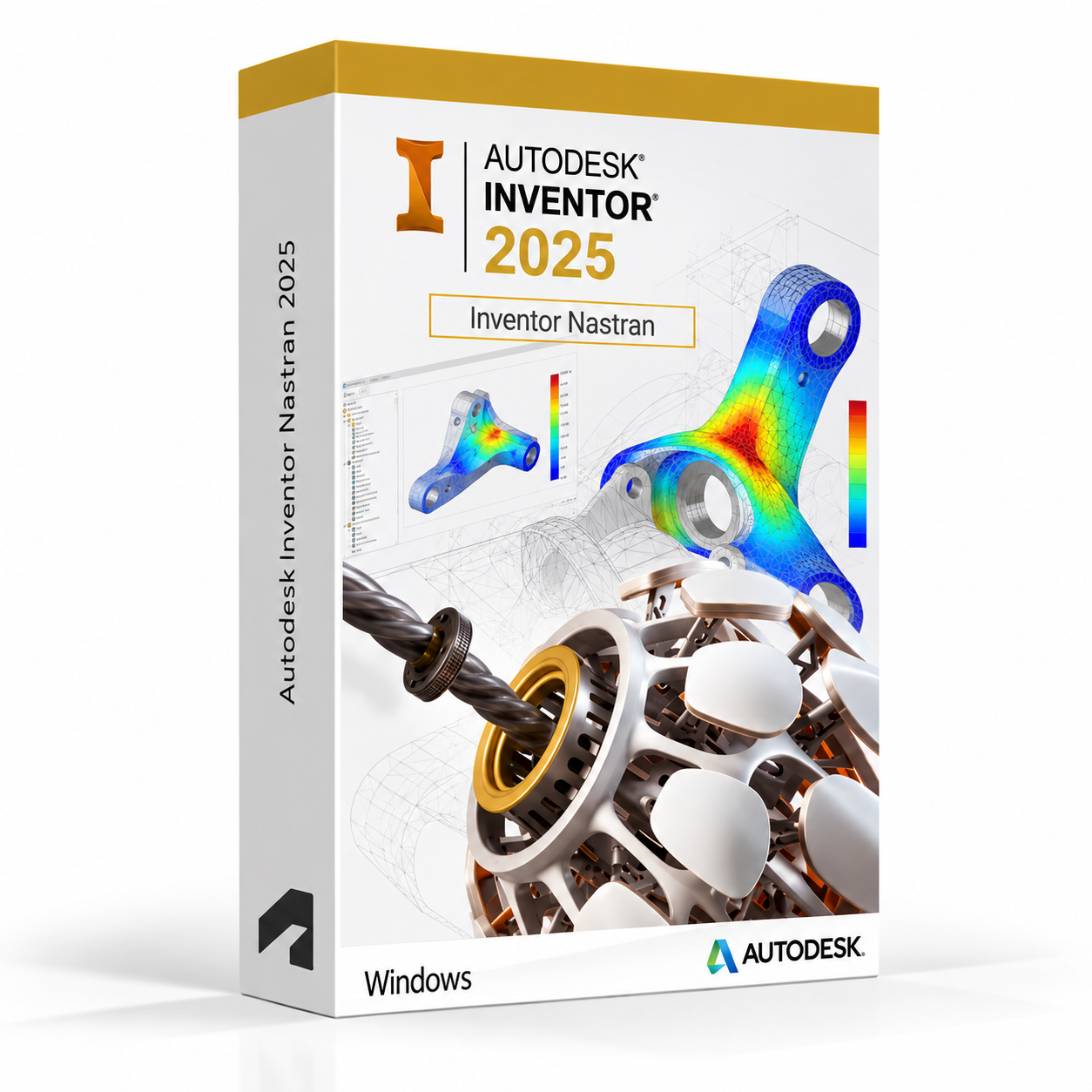
Autodesk Inventor Nastran 2025 for Windows – UK Digital FEA Licence
Autodesk Inventor Nastran 2025 for Windows is a professional finite element analysis and engineering simulation software solution designed for users who need advanced structural analysis, thermal simulation, fatigue analysis, nonlinear simulation and dynamic analysis tools integrated directly within the Autodesk Inventor environment on a Windows PC. It is ideal for mechanical engineering students, structural analysis learners, product design students, aerospace and automotive engineering learners and users who need a comprehensive FEA workflow covering linear static, dynamic, thermal, fatigue and nonlinear simulation directly from 3D Inventor models.
Inventor Nastran 2025 uses the industry-proven Nastran solver, one of the most trusted finite element analysis engines used across aerospace, automotive, defence and manufacturing industries worldwide. It helps users validate designs against real-world engineering loads, identify structural weaknesses, optimise material usage and reduce physical prototyping by running accurate simulation studies directly from Inventor 3D models. Whether performing linear static stress analysis, modal analysis, thermal simulation or nonlinear contact analysis, Inventor Nastran provides a professional-grade integrated FEA environment on Windows.
For a complete design and analysis setup, you can also explore our Autodesk software, compare related Inventor products, or choose Autodesk Inventor Professional 2025 for Windows if you need the full mechanical CAD platform with integrated simulation tools alongside your FEA workflow.
Important Notice About Inventor Nastran 2025 for Windows
Autodesk Inventor Nastran 2025 is a Windows-only application and is not available natively on macOS. Users who need FEA software on a Mac should use a compatible Windows environment. Inventor Nastran requires a Windows PC that meets the system requirements for the application.
This product is suitable for personal learning, training and non-commercial finite element analysis and engineering simulation projects. If you need Inventor Nastran for commercial, engineering or professional client work, make sure your licence type clearly allows commercial use.
Why Choose Autodesk Inventor Nastran 2025 for Windows?
- Professional FEA software using the industry-proven Nastran solver integrated within Autodesk Inventor
- Advanced structural, thermal, fatigue, nonlinear and dynamic simulation capabilities
- Directly linked to Inventor 3D models for seamless CAD to simulation workflows
- Trusted Nastran solver used across aerospace, automotive and manufacturing industries
- Comprehensive material and element libraries for accurate simulation results
- Automated meshing tools for efficient simulation model preparation
- Suitable for compatible 64-bit Windows PCs
- Lifetime access according to this product offer
- Digital delivery by email after order confirmation
- Activation instructions included
- Installation and activation support available when needed
Key Features of Inventor Nastran 2025
- Linear Static Analysis: Run linear static structural simulations to calculate stresses, strains and displacements in parts and assemblies under applied loads and boundary conditions for design validation.
- Modal Analysis: Perform modal analysis to determine the natural frequencies and mode shapes of structures, helping engineers identify resonance risks and optimise structural stiffness in vibration-sensitive applications.
- Thermal Analysis: Run steady-state and transient thermal simulations to analyse heat transfer through parts and assemblies, including conduction, convection and radiation for thermal design validation.
- Thermal Stress Analysis: Combine thermal and structural analysis to evaluate thermally induced stresses and deformations in parts operating under temperature gradients or thermal loading conditions.
- Fatigue Analysis: Assess the fatigue life of components under cyclic loading conditions to predict failure locations and service life for designs subject to repeated loading in service.
- Nonlinear Analysis: Run nonlinear structural simulations including geometric nonlinearity, material nonlinearity and contact nonlinearity for accurate simulation of large deformation, plastic behaviour and contact interaction.
- Dynamic Analysis: Perform frequency response and transient dynamic analysis to evaluate structural behaviour under time-varying and frequency-dependent loading conditions.
- Buckling Analysis: Run linear and nonlinear buckling analysis to determine the critical load at which a structure becomes unstable and identify potential buckling failure modes.
- Automated Meshing: Use automated meshing tools to generate finite element meshes from Inventor 3D geometry, with mesh refinement controls for balancing simulation accuracy and computational efficiency.
- Material Library: Access a comprehensive library of engineering materials with predefined mechanical, thermal and fatigue properties for accurate and efficient simulation model setup.
- Results Visualisation: Visualise simulation results including stress contours, displacement plots, temperature distributions and safety factor maps directly on the 3D model for clear engineering interpretation.
- CAD Integration: Work directly with Inventor 3D models and assemblies, with associative links that update simulation models automatically when the design geometry changes.
Inventor Nastran 2025 vs Inventor Professional Simulation, Abaqus, ANSYS and Siemens NX Nastran
Autodesk Inventor Nastran 2025 for Windows uses the industry-proven Nastran solver for advanced FEA within the Inventor environment. Inventor Professional includes basic stress analysis tools for general use, Abaqus and ANSYS are enterprise-level FEA platforms for advanced simulation workflows, while Siemens NX Nastran is an enterprise-level Nastran-based solver used in aerospace and automotive industries.
| Software | Best For | Main Use |
|---|---|---|
| Inventor Nastran 2025 | Mechanical engineers, structural analysis learners and product design students | Advanced FEA including linear static, modal, thermal, fatigue, nonlinear and dynamic analysis integrated with Inventor |
| Inventor Professional | Mechanical engineers and product design students | 3D mechanical CAD with basic integrated stress analysis and motion simulation tools |
| Autodesk Fusion 360 | Product designers, makers and engineering students | Integrated cloud-connected CAD, CAM, CAE with structural and thermal simulation capabilities |
| Abaqus | Advanced simulation engineers and research users | Enterprise-level FEA for complex nonlinear, multiphysics and advanced structural simulation workflows |
| ANSYS | Engineering simulation teams and research institutions | Enterprise-level multiphysics simulation including structural, thermal, fluid and electromagnetic analysis |
Which Software Should You Choose?
- Choose Autodesk Inventor Nastran 2025 for Windows if you need advanced FEA capabilities using the industry-proven Nastran solver integrated within the Autodesk Inventor environment for structural, thermal, fatigue and dynamic analysis.
- Choose Autodesk Inventor Professional 2025 if you need the full mechanical CAD platform with basic integrated stress analysis and motion simulation tools for general engineering design validation.
- Choose Autodesk Fusion 360 for Windows if you need a cloud-connected integrated CAD and simulation platform for product design and engineering validation workflows.
- Choose Abaqus if you need an enterprise-level FEA platform for complex nonlinear, multiphysics and advanced structural simulation beyond the scope of Inventor Nastran.
- Choose ANSYS if you need an enterprise-level multiphysics simulation platform covering structural, thermal, fluid dynamics and electromagnetic analysis workflows.
Recommended Products
- Autodesk Software – compare AutoCAD, Revit, Maya, Civil 3D and other Autodesk tools.
- Autodesk Inventor – explore more Inventor versions for Windows.
- Autodesk Inventor Professional 2025 for Windows – recommended for full mechanical CAD, simulation and engineering design workflows.
- Autodesk Inventor CAM Ultimate 2025 for Windows – suitable for advanced CNC machining and toolpath programming workflows.
- Windows Licences – suitable if you need a compatible Windows operating system.
- Microsoft Office – useful for project documents, spreadsheets, reports and client presentations.
System Requirements for Autodesk Inventor Nastran 2025 for Windows
| Component | Requirement |
|---|---|
| Platform | Windows PC |
| Operating System | 64-bit Microsoft Windows 11 or Windows 10 |
| Processor | Basic: 2.5 GHz or faster processor; recommended: 3+ GHz multi-core processor for complex FEA solver calculations and large simulation models |
| Memory | Basic: 8 GB RAM; recommended: 16 GB RAM or more for large FEA models, nonlinear analysis and dynamic simulation workflows |
| Display | 1280 x 1024 display minimum; recommended: 1920 x 1080 or higher with True Color |
| Graphics | Minimum: 1 GB GPU compatible with DirectX 11; recommended: 4 GB GPU compatible with DirectX 12 for 3D viewport and results visualisation performance |
| Storage | 40 GB available disk space for Inventor Nastran installation; SSD recommended for simulation project files and solver output data |
| Pointing Device | Three-button mouse recommended for 3D viewport navigation |
| Internet | Required for download, installation, sign-in, activation, updates and Autodesk account access |
Delivery and Activation
- Product: Autodesk Inventor Nastran 2025 for Windows
- Platform: Windows PC
- Licence Type: Digital licence
- Use Type: Educational, personal and non-commercial use
- Licence Duration: Lifetime access according to this product offer
- Delivery Method: Digital delivery by email
- Activation: Activation instructions provided after purchase
- Support: Installation and activation assistance available
How to Get Started
- Complete your order for Autodesk Inventor Nastran 2025 for Windows.
- Receive your product details and activation instructions by email.
- Check that your Windows PC meets the Inventor Nastran 2025 system requirements.
- Download and install Inventor Nastran 2025 on your compatible Windows computer.
- Sign in with the Autodesk account or activation method provided with your order.
- Follow the activation instructions to complete setup.
- Restart Inventor Nastran if required and begin your FEA and engineering simulation workflow.
- Contact our support team if you need help with installation or activation.
Who Is Autodesk Inventor Nastran 2025 for Windows For?
- Mechanical engineering students and structural analysis learners
- Product design and aerospace engineering students learning FEA workflows
- Automotive and defence engineering learners using simulation for design validation
- Users learning linear static, modal, thermal and fatigue analysis workflows
- Users working on nonlinear, dynamic and buckling simulation studies
- Users who need advanced Nastran-based FEA integrated within Autodesk Inventor
- Users who prefer a seamless CAD to FEA workflow within the Inventor environment
Important Licence Information
This Autodesk Inventor Nastran 2025 for Windows licence is intended for educational, personal and non-commercial use. It is suitable for learning, training and personal finite element analysis and engineering simulation projects. It should not be used for commercial, engineering or professional client work unless your licence type clearly allows commercial use.
Inventor Nastran is a Windows-only application and is not available natively on macOS. Before purchasing, please make sure your Windows PC is compatible with Inventor Nastran 2025 and that this licence type matches your intended use.
What is Autodesk Inventor Nastran 2025 for Windows?
Autodesk Inventor Nastran 2025 for Windows is a professional finite element analysis software integrated within Autodesk Inventor, using the industry-proven Nastran solver for advanced structural, thermal, fatigue, nonlinear and dynamic simulation on compatible Windows PCs.
Does Inventor Nastran 2025 work on Windows 11?
Yes. Inventor Nastran 2025 is designed for compatible 64-bit Windows systems, including Windows 11.
Can I install Inventor Nastran 2025 on Windows 10?
Yes. Inventor Nastran 2025 supports compatible 64-bit Windows 10 systems.
Does Inventor Nastran 2025 work on Mac?
No. Autodesk Inventor Nastran is a Windows-only application and is not available natively on macOS. Users who need FEA software on a Mac should use a compatible Windows environment.
What is Nastran and why is it used for FEA?
Nastran is an industry-proven finite element analysis solver originally developed for NASA and now widely used across aerospace, automotive, defence and manufacturing industries for accurate structural, thermal and dynamic simulation. Inventor Nastran brings this trusted solver directly into the Autodesk Inventor environment for integrated CAD and FEA workflows.
What types of analysis does Inventor Nastran support?
Inventor Nastran supports a comprehensive range of analysis types including linear static, modal, thermal, thermal stress, fatigue, nonlinear static, nonlinear dynamic, frequency response, transient dynamic and buckling analysis for thorough engineering simulation and design validation.
What is the difference between Inventor Nastran and Inventor Professional simulation?
Inventor Professional includes basic integrated stress analysis tools for general design validation within the Inventor environment. Inventor Nastran provides a significantly more advanced FEA capability using the industry-proven Nastran solver, with support for nonlinear, thermal, fatigue, dynamic and buckling analysis beyond the scope of the basic Inventor Professional simulation tools.
Does Inventor Nastran integrate with Inventor 3D models?
Yes. Inventor Nastran integrates directly with Inventor 3D models and assemblies, maintaining associative links so that simulation models update automatically when the design geometry changes in Inventor.
Does Inventor Nastran include a material library?
Yes. Inventor Nastran includes a comprehensive library of engineering materials with predefined mechanical, thermal and fatigue properties for accurate and efficient simulation model setup across a wide range of engineering materials and applications.
Can I use this licence for commercial projects?
This product is described as an educational licence for personal, learning and non-commercial use. Commercial use requires a licence type that allows commercial work.
How will I receive my Inventor Nastran 2025 licence?
Your product details and activation instructions will be delivered digitally by email after order confirmation.
Do you provide installation support?
Yes. Installation and activation support is available if you need help setting up Autodesk Inventor Nastran 2025 for Windows.


Scarlett T. –
The professionalism of the service stood out right away. I placed my order, and within minutes everything was ready to use. I had no complications, no delays, and no confusion. Everything was straightforward, reliable, and quick. I’m very impressed.
Leo S. –
This was one of the most efficient services I’ve ever used. The activation was instant, and everything worked on the very first try. I didn’t need to reach out for help at all because everything was explained clearly. The reliability is what impressed me the most. It was a very positive experience overall.
Alfie Y. –
I had a great experience with this service. Everything was quick, professional, and reliable. The activation worked immediately and without any problems. I liked how easy it all was to complete. I’ll definitely be using it again.
Holly T. –
All done within minutes, brilliant service.
Steven P. –
Quick setup and no delays. Everything worked just as expected.
Katie K. –
The process was quick, clear, and efficient. Everything worked instantly without delays. I felt confident and secure throughout the entire experience. I’ll definitely use this service again.
Elliot L. –
This was my first order, and I can honestly say the service was outstanding. Everything worked instantly without any hiccups. The process was stress-free, and I felt comfortable using it from start to finish. It was professional, reliable, and efficient. I’ll certainly be back again.
Katie H. –
The speed of the service was fantastic. Everything was done in minutes, and I didn’t run into any problems. The experience felt professional and trustworthy. I’m very satisfied.
James H. –
Excellent service overall. Very quick process, and everything worked exactly as expected.
Poppy C. –
Very efficient and user-friendly. Everything worked instantly.
Paul L. –
I had an excellent experience overall. Everything was quick, reliable, and simple to understand. The activation was immediate, and I didn’t encounter a single issue. I felt secure using this service from start to finish. I’ll be recommending it to my friends.
Erin L. –
There were moments of doubt during setup, but nothing actually went wrong.
Rachel S. –
No issues during installation.
Megan C. –
The setup required attention, but nothing unexpected happened once it started.
Claire C. –
I expected more hassle than this, so I can’t complain. Everything went through in the end.
Kieran P. –
I had low expectations going in, so I was pleasantly surprised that nothing went wrong during setup.
Mark L. –
It wasn’t obvious at first what to do, but the instructions helped.
Layla M. –
Setup felt slow at one point, though it finished without issues.
Callum M. –
It didn’t feel particularly modern, but it did what it was supposed to do without throwing errors.
Tilly T. –
I wasn’t in a rush, so I followed everything step by step. The result was smooth and error-free.
Oscar R. –
Worked once I followed the steps.
Tariq L. –
There were no major issues, but it also wasn’t a smooth click-and-go situation. Still manageable.
Emily T. –
Instructions were clear enough, even if not perfectly written.
Alex H. –
There was a short wait that made me wonder, but it carried on.
Hiba W. –
No need to redo anything.
Dean P. –
Quite an easy process.
Owen T. –
Setup was smoother than expected.
Scott B. –
I had to pay attention during setup, but once done, everything worked normally.
Aisha T. –
It was fine, no drama.
Olivia M. –
The whole thing felt pretty standard. No shortcuts, no complications.