
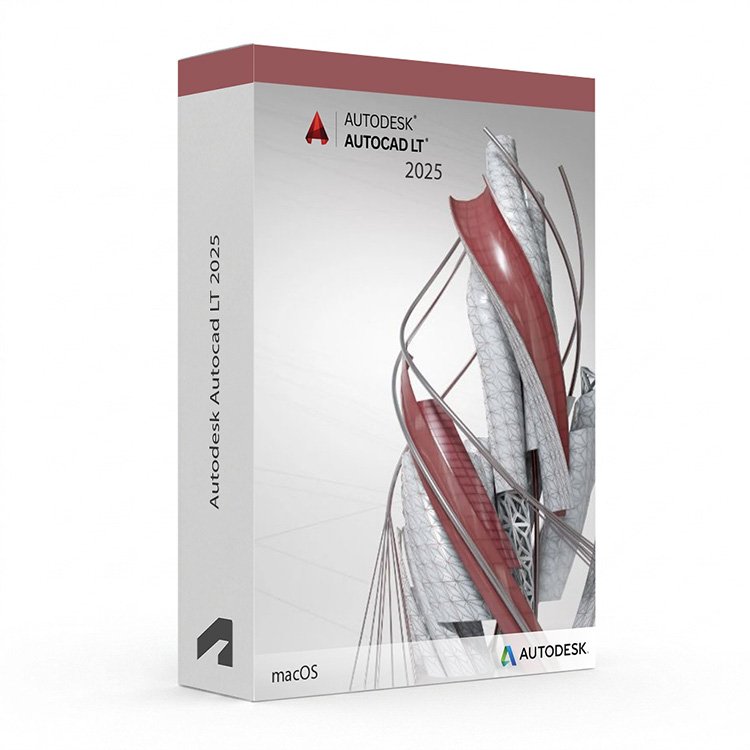
Autodesk AutoCAD LT 2025 for Mac – UK Digital 2D CAD Licence
Autodesk AutoCAD LT 2025 for Mac is a professional 2D drafting and DWG editing software solution designed for users who need reliable tools for technical drawing, floor plans, engineering layouts, construction documentation and precise 2D design workflows on a Mac. It is ideal for CAD students, architectural drafters, engineering technicians, construction documentation users and anyone who needs a focused, lightweight AutoCAD experience on macOS without the full toolset of standard AutoCAD.
AutoCAD LT 2025 for Mac includes the core AutoCAD 2D drafting environment optimised for macOS, with tools for drawing, editing, annotating and printing precise technical drawings in DWG format. It helps users create accurate 2D documentation faster by using a streamlined interface, familiar drafting commands and reliable DWG compatibility. Without the 3D modelling tools or specialised toolsets of full AutoCAD, AutoCAD LT for Mac keeps the focus squarely on 2D drafting efficiency within a native macOS experience.
For a complete design setup, you can also explore our Autodesk software, compare related AutoCAD products, or choose Autodesk AutoCAD 2025 for Mac if you need the full AutoCAD package for macOS.
Important Notice About AutoCAD LT 2025 for Mac
Autodesk AutoCAD LT 2025 for Mac is designed specifically for compatible macOS users. This Mac version is not suitable for Windows users. AutoCAD LT is available separately for Windows, so please ensure you select the correct version for your operating system before purchasing.
This product is suitable for personal learning, training and non-commercial 2D drafting projects. If you need AutoCAD LT for commercial, construction or professional client work, make sure your licence type clearly allows commercial use.
Why Choose Autodesk AutoCAD LT 2025 for Mac?
- Professional 2D drafting and DWG editing software designed for macOS users
- Native Mac experience with a macOS-optimised interface and workflow
- Designed for technical drawing, floor plans, engineering layouts and construction documentation
- Streamlined AutoCAD experience focused on 2D drafting without 3D modelling tools
- Useful for lines, arcs, dimensions, annotations, layers, blocks and plot layouts
- Works with DWG files and is compatible with the broader AutoCAD ecosystem
- Helps produce accurate 2D drawings using familiar AutoCAD commands and workflows
- Suitable for compatible macOS devices
- Lifetime access according to this product offer
- Digital delivery by email after order confirmation
- Activation instructions included
- Installation and activation support available when needed
Key Features of AutoCAD LT 2025 for Mac
- 2D Drafting Tools: Create precise technical drawings, floor plans, engineering layouts and construction documentation using core AutoCAD 2D drafting commands and tools on macOS.
- DWG File Compatibility: Create, open, edit and share DWG files with full compatibility across the AutoCAD ecosystem and with other DWG-based software on Mac and Windows.
- macOS-Optimised Interface: Work in a native Mac interface with macOS gestures, Multi-Touch trackpad support and a clean workspace designed for the Mac environment.
- Annotation and Dimensioning: Add dimensions, text, leaders, callouts and other annotation content to drawings using standards-based annotation tools.
- Layer Management: Organise drawing content using layers, with controls for visibility, colour, line type and line weight across the drawing.
- Blocks and Reusable Content: Create, insert and manage blocks and reusable drawing content to maintain consistency and speed up repetitive drafting tasks.
- Layout and Plot Tools: Set up paper space layouts, viewports and plot configurations to produce accurate printed and exported drawing outputs.
- External References: Attach and manage external reference files to coordinate drawing content across multiple files within a project.
- Sheet Sets: Organise and manage sets of drawing sheets for more efficient project documentation and drawing set management.
- PDF and Image Import: Import PDF files and raster images as underlays to use as reference content within 2D drawings.
- Collaboration Tools: Share DWG files and drawing views with collaborators using Autodesk sharing features built into the AutoCAD LT for Mac environment.
- Trusted DWG Format: Work in the industry-standard DWG format to ensure drawing compatibility with clients, contractors and collaborators using AutoCAD on Mac or Windows.
AutoCAD LT 2025 for Mac vs AutoCAD 2025 for Mac, AutoCAD LT for Windows, Vectorworks and ArchiCAD
Autodesk AutoCAD LT 2025 for Mac is a focused 2D drafting tool for macOS users who do not need 3D modelling or specialised toolsets. Full AutoCAD for Mac includes additional 3D tools, while AutoCAD LT for Windows offers the same 2D drafting experience on a Windows PC. Vectorworks and ArchiCAD are alternative Mac-compatible CAD and BIM platforms suited to architectural and design workflows.
| Software | Best For | Main Use |
|---|---|---|
| AutoCAD LT 2025 for Mac | Mac-based CAD drafters, technicians and users who need focused 2D drawing tools | 2D drafting, DWG editing, technical drawing, annotations, layouts and construction documentation on macOS |
| AutoCAD 2025 for Mac | Mac-based general CAD users, engineers and designers | 2D drafting, 3D CAD modelling and DWG editing on macOS |
| AutoCAD LT 2025 for Windows | Windows-based CAD drafters and technicians | 2D drafting, DWG editing and technical drawing on compatible Windows PCs |
| Vectorworks | Architects, designers and entertainment industry users on Mac | 2D and 3D design, BIM modelling, rendering and presentation workflows on macOS |
| ArchiCAD | Architects and BIM users on Mac | BIM-based architectural design, documentation, coordination and visualisation on macOS |
Which Software Should You Choose?
- Choose Autodesk AutoCAD LT 2025 for Mac if you need a focused, reliable 2D drafting and DWG editing tool on macOS without 3D modelling or discipline-specific automation features.
- Choose Autodesk AutoCAD 2025 for Mac if you need the full AutoCAD package for macOS with additional 3D tools.
- Choose AutoCAD LT 2025 for Windows if you need the same focused 2D drafting experience on a Windows PC instead.
- Choose Vectorworks if you need a Mac-native 2D and 3D design platform with BIM, rendering and presentation tools.
- Choose ArchiCAD if you need a Mac-compatible BIM platform for architectural design, documentation and coordination.
Recommended Products
- Autodesk Software – compare AutoCAD, Revit, Civil 3D, Inventor and other Autodesk tools.
- Autodesk AutoCAD – explore more AutoCAD versions for Windows and macOS.
- Autodesk AutoCAD 2025 for Mac – recommended if you need full AutoCAD with additional tools on macOS.
- AutoCAD LT 2025 for Windows – suitable if you need the same 2D drafting experience on a Windows PC.
- Microsoft Office – useful for project documents, spreadsheets, reports and client presentations.
System Requirements for Autodesk AutoCAD LT 2025 for Mac
| Component | Requirement |
|---|---|
| Platform | Apple Mac |
| Operating System | Apple macOS (check Autodesk’s current system requirements for supported macOS versions) |
| Processor | 64-bit Intel or Apple Silicon processor |
| Memory | Basic: 4 GB RAM; recommended: 8 GB RAM or more |
| Display | 1280 x 800 display with True Color; Retina display supported |
| Graphics | 1 GB GPU or higher; Metal-capable GPU recommended for best performance |
| Storage | 3 GB available disk space for AutoCAD LT for Mac; SSD recommended |
| Pointing Device | Apple Mouse, Multi-Touch trackpad or compatible pointing device |
| Internet | Required for download, installation, sign-in, activation, updates and Autodesk account access |
Delivery and Activation
- Product: Autodesk AutoCAD LT 2025 for Mac
- Platform: Apple Mac
- Licence Type: Digital licence
- Use Type: Educational, personal and non-commercial use
- Licence Duration: Lifetime access according to this product offer
- Delivery Method: Digital delivery by email
- Activation: Activation instructions provided after purchase
- Support: Installation and activation assistance available
How to Get Started
- Complete your order for Autodesk AutoCAD LT 2025 for Mac.
- Receive your product details and activation instructions by email.
- Check that your Mac meets the AutoCAD LT 2025 for Mac system requirements.
- Download and install AutoCAD LT 2025 on your compatible Mac.
- Sign in with the Autodesk account or activation method provided with your order.
- Follow the activation instructions to complete setup.
- Restart AutoCAD LT if required and begin your 2D drafting and DWG editing workflow on macOS.
- Contact our support team if you need help with installation or activation.
Who Is Autodesk AutoCAD LT 2025 for Mac For?
- Mac-based CAD students and technical drawing learners
- Architectural and engineering drafters who work primarily in 2D on macOS
- Construction documentation and drawing technicians using Mac
- Users who need DWG compatibility on macOS without full AutoCAD features
- Users upgrading from older AutoCAD LT for Mac versions
- Users who want a lightweight, focused 2D CAD tool on their Mac
- Users who prefer a cost-effective AutoCAD option for macOS without 3D or specialised toolsets
Important Licence Information
This Autodesk AutoCAD LT 2025 for Mac licence is intended for educational, personal and non-commercial use. It is suitable for learning, training and personal 2D CAD and drafting projects on macOS. It should not be used for commercial, construction or professional client work unless your licence type clearly allows commercial use.
AutoCAD LT for Mac is a separate product from AutoCAD LT for Windows. Before purchasing, please make sure your Mac is compatible with AutoCAD LT 2025 for Mac and that this licence type matches your intended use.
What is Autodesk AutoCAD LT 2025 for Mac?
Autodesk AutoCAD LT 2025 for Mac is a focused 2D drafting and DWG editing CAD tool for creating technical drawings, floor plans, engineering layouts and construction documentation on compatible Mac computers running macOS.
What is the difference between AutoCAD LT for Mac and AutoCAD for Mac?
AutoCAD for Mac includes 2D drafting and additional 3D modelling tools. AutoCAD LT for Mac is focused on 2D drafting and DWG editing only, without 3D modelling tools, making it a more streamlined and cost-effective option for Mac users who work primarily in 2D.
What is the difference between AutoCAD LT for Mac and AutoCAD LT for Windows?
AutoCAD LT for Mac and AutoCAD LT for Windows offer the same core 2D drafting and DWG editing functionality, but are optimised for their respective operating systems. The Mac version features a macOS-native interface with Multi-Touch trackpad support, while the Windows version is tailored for the Windows environment.
Does AutoCAD LT 2025 for Mac support Apple Silicon?
Autodesk has been expanding Apple Silicon support across its Mac products. Please check Autodesk’s current system requirements for AutoCAD LT 2025 to confirm the latest Apple Silicon compatibility before purchasing.
Does AutoCAD LT 2025 for Mac support 3D modelling?
No. AutoCAD LT for Mac is a 2D drafting tool and does not include 3D modelling tools. Users who need 3D modelling on macOS should consider AutoCAD 2025 for Mac instead.
Is AutoCAD LT for Mac compatible with AutoCAD DWG files?
Yes. AutoCAD LT for Mac uses the same DWG file format as AutoCAD on Windows and Mac, ensuring full compatibility when sharing drawing files with AutoCAD users, clients and collaborators on any platform.
Can AutoCAD LT for Mac open files created in AutoCAD for Windows?
Yes. AutoCAD LT for Mac can open and edit DWG files created in AutoCAD for Windows. However, any 3D geometry or specialised toolset content may not be fully editable in AutoCAD LT for Mac.
Does AutoCAD LT for Mac include specialised toolsets?
No. AutoCAD LT for Mac does not include specialised toolsets. The specialised toolsets such as Architecture, Mechanical and MEP are only available in AutoCAD for Windows. AutoCAD for Mac does not include specialised toolsets either.
Can I use this licence for commercial projects?
This product is described as an educational licence for personal, learning and non-commercial use. Commercial use requires a licence type that allows commercial work.
How will I receive my AutoCAD LT 2025 for Mac licence?
Your product details and activation instructions will be delivered digitally by email after order confirmation.
Do you provide installation support?
Yes. Installation and activation support is available if you need help setting up Autodesk AutoCAD LT 2025 for Mac.


Poppy H. –
The whole experience was fast and very easy. I placed my order, and within minutes everything was done. The activation was seamless and without errors. I felt confident that I could rely on this service. I highly recommend it.
Phoebe C. –
Everything was simple and smooth.
George B. –
Very easy process, no delays.
Rebecca H. –
Quick and professional, thank you.
Scott E. –
I wasn’t sure how smooth it would be, but I was pleasantly surprised. Everything worked perfectly right away. The activation was quick, and the steps were easy to follow. The service felt reliable and secure the entire time. Very satisfied.
Sebastian T. –
Great service, highly recommend.
Edward F. –
Simple purchase, fast download, and quick activation.
Olivia W. –
No technical issues at all, which is always a good sign.
Simon E. –
Simple and reliable experience. Everything worked as promised.
Peter L. –
I appreciated how straightforward the whole process was. Everything was completed in a matter of minutes.
Alfie R. –
There was a pause that made me unsure, but it finished normally.
Christopher B. –
Took a few minutes to get everything done, but nothing confusing.
Sheila L. –
Installation was simple, and the product was ready to use shortly after.
Hania C. –
Setup was easier than I expected.
Millie W. –
All worked as it should.
Oliver M. –
Download speed was decent, and the installation didn’t take too long. After that, it worked normally.
Sameer I. –
Installation was simple and everything was ready shortly after.
Connor P. –
Instructions made sense once I read them properly.
Mhairi C. –
The whole thing felt pretty normal. No fancy setup, no extra steps, just download, install, and use.
William R. –
No strange messages or problems during setup, which I appreciated.
Daniel S. –
Setup was easy enough, even for someone who isn’t very technical. I didn’t feel lost at any point.
Sarah F. –
This was my first time using a digital license like this, and it went better than expected. Everything worked on the first try.
Neil E. –
No unnecessary steps, which I really appreciated.
Raj I. –
Overall, it was a relaxed and easy experience. Nothing to complain about.
Florence H. –
Everything went smoothly once I started. The download worked, installation completed, and activation didn’t cause any problems.
James H. –
Installed it within minutes and it worked immediately.
Amelia R. –
The process required more patience than I expected. There were a couple of pauses that made me unsure, but it eventually finished.
Paul W. –
No errors or problems once I followed the steps.
Craig R. –
The steps made sense after reading them properly. Setup took time, but it worked.