
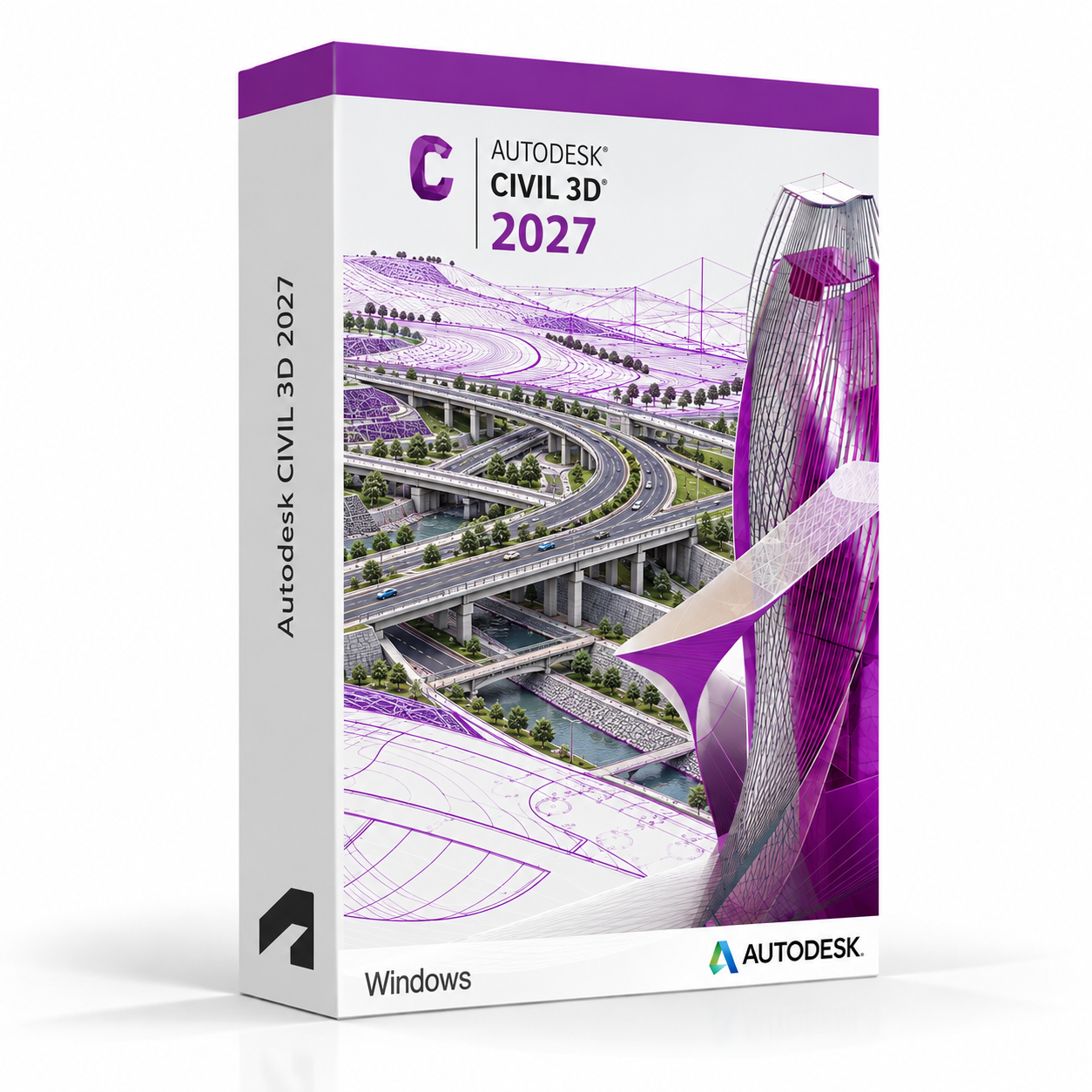
Autodesk Civil 3D 2027 for Windows – UK Digital Civil Engineering CAD Licence
Autodesk Civil 3D 2027 for Windows is a professional civil engineering design and documentation software solution designed for users who need specialised tools for road and highway design, land development, surveying, grading, drainage, stormwater management, corridor modelling and DWG-based civil infrastructure documentation on a Windows PC. It is ideal for civil engineering students, transportation design learners, land development drafters, surveying technicians and users who need a comprehensive civil engineering CAD workflow covering survey data management, site design, road alignment, grading and drainage documentation.
Civil 3D 2027 combines dynamic model-based civil engineering design with AutoCAD drafting, allowing users to create intelligent civil objects that update automatically when design parameters change. It helps users produce accurate civil engineering designs and construction documentation faster by using dynamic corridor models, surface analysis tools, pipe network design and automated plan production workflows. Whether designing roads, subdivisions, drainage systems or graded sites, Civil 3D provides a professional-grade civil engineering design environment on Windows.
For a complete design setup, you can also explore our Autodesk software, compare related AutoCAD products, or choose Autodesk AutoCAD 2027 for Windows if you need the full AutoCAD package with multiple specialised toolsets.
Important Notice About Civil 3D 2027 for Windows
Autodesk Civil 3D 2027 is a Windows-only application and is not available natively on macOS. Users who need civil engineering design software on a Mac should use a compatible Windows environment. Civil 3D requires a Windows PC that meets the system requirements for the application.
This product is suitable for personal learning, training and non-commercial civil engineering design and documentation projects. If you need Civil 3D for commercial, construction or professional client work, make sure your licence type clearly allows commercial use.
Why Choose Autodesk Civil 3D 2027 for Windows?
- Professional civil engineering design and documentation software for Windows users
- Designed for road design, land development, surveying, grading and drainage workflows
- Dynamic model-based design with intelligent civil objects that update automatically
- Comprehensive corridor modelling tools for road, highway and rail design
- Pipe network design and analysis tools for drainage and stormwater management
- Automated plan production for faster construction documentation workflows
- Suitable for compatible 64-bit Windows PCs
- Lifetime access according to this product offer
- Digital delivery by email after order confirmation
- Activation instructions included
- Installation and activation support available when needed
Key Features of Civil 3D 2027
- Survey Data Management: Import, process and manage survey point data, fieldbooks and survey figures to create accurate existing ground models and survey documentation for civil engineering projects.
- Surface Modelling and Analysis: Create intelligent TIN surfaces from survey data, contours and breaklines, and analyse surface slopes, elevations, watersheds and drainage patterns with dynamic surface tools.
- Alignment Design: Design horizontal and vertical road alignments with tangent, curve and spiral geometry tools, applying design standards and checking geometry against road design criteria.
- Corridor Modelling: Build dynamic 3D corridor models for roads, highways, railways and channels using assemblies, subassemblies and design criteria to model complex cross-section geometry along alignments.
- Grading and Site Design: Create grading solutions for site development projects using feature lines, grading objects and grading groups to model complex earthwork and site grading designs.
- Pipe Network Design: Design gravity and pressure pipe networks for stormwater, sanitary sewer and water distribution systems with intelligent pipe and structure objects and hydraulic analysis integration.
- Intersection Design: Create and model complex road intersections, roundabouts and interchanges using dedicated intersection design tools that maintain dynamic links to parent alignments and corridors.
- Plan Production Automation: Automate the production of plan and profile sheets, section sheets and quantity takeoff reports from dynamic Civil 3D models to accelerate construction documentation.
- Quantity Takeoff and Reporting: Generate earthwork volumes, material quantities and project reports directly from Civil 3D model data for use in project cost estimation and documentation.
- Geotechnical Data Integration: Import and manage borehole and geotechnical data within Civil 3D projects for use in site analysis and subsurface modelling workflows.
- AutoCAD Drafting Environment: Use the full AutoCAD drafting environment for precise drawing, annotation, dimensioning and DWG editing alongside Civil 3D-specific design tools.
- DWG File Compatibility: Create, edit and share DWG files using the AutoCAD-based Civil 3D civil engineering design environment.
Civil 3D 2027 vs AutoCAD Map 3D, AutoCAD, Bentley OpenRoads and SYNCHRO
Autodesk Civil 3D 2027 for Windows is the industry-standard choice for civil engineering design, road design and land development workflows. AutoCAD Map 3D is focused on GIS and geospatial data management rather than engineering design, standard AutoCAD is broader for general CAD work, Bentley OpenRoads is an alternative civil and transportation design platform, while SYNCHRO is focused on 4D construction planning and scheduling rather than engineering design.
| Software | Best For | Main Use |
|---|---|---|
| Civil 3D 2027 | Civil engineers, transportation designers and land development professionals | Road design, corridor modelling, grading, drainage, surveying and civil infrastructure documentation |
| AutoCAD Map 3D | GIS professionals, mapping technicians and infrastructure planners | GIS data management, geospatial mapping, feature classification and spatial analysis |
| AutoCAD 2027 | General CAD users, engineers and designers | 2D drafting, 3D CAD modelling, DWG editing and specialised toolsets |
| Bentley OpenRoads | Transportation engineers and highway designers | Road and highway design, corridor modelling and transportation infrastructure documentation |
| SYNCHRO | Construction planners and project managers | 4D construction planning, schedule linking and construction simulation |
Which Software Should You Choose?
- Choose Autodesk Civil 3D 2027 for Windows if you need a comprehensive civil engineering design platform for road design, corridor modelling, grading, drainage, surveying and construction documentation.
- Choose AutoCAD Map 3D if you need GIS data management, geospatial mapping and spatial analysis tools rather than civil engineering design.
- Choose Autodesk AutoCAD 2027 for Windows if you need the full AutoCAD package with multiple specialised toolsets.
- Choose Bentley OpenRoads if you need an alternative civil and transportation design platform for road and highway engineering workflows.
- Choose SYNCHRO if you need a 4D construction planning and scheduling platform for construction project management.
Recommended Products
- Autodesk Software – compare AutoCAD, Revit, Maya, Inventor and other Autodesk tools.
- Autodesk AutoCAD – explore more AutoCAD versions for Windows and macOS.
- Autodesk AutoCAD 2027 for Windows – recommended if you need all AutoCAD specialised toolsets.
- AutoCAD Map 3D – suitable for GIS data management, geospatial mapping and spatial analysis workflows.
- Windows Licences – suitable if you need a compatible Windows operating system.
- Microsoft Office – useful for project documents, spreadsheets, reports and client presentations.
System Requirements for Autodesk Civil 3D 2027 for Windows
| Component | Requirement |
|---|---|
| Platform | Windows PC |
| Operating System | 64-bit Microsoft Windows 11 or Windows 10 |
| Processor | Basic: 2.5–2.9 GHz processor; recommended: 3+ GHz processor |
| Memory | Basic: 16 GB RAM for Civil 3D; recommended: 32 GB RAM or more for large civil engineering projects |
| Display | 1920 x 1080 with True Color; high-resolution and 4K displays supported with a recommended graphics card |
| Graphics | Minimum: 2 GB GPU compatible with DirectX 11; recommended: 8 GB GPU compatible with DirectX 12 |
| Storage | 17 GB available disk space for Civil 3D; SSD recommended for project files and data |
| Pointing Device | MS-Mouse compliant pointing device |
| Internet | Required for download, installation, sign-in, activation, updates and Autodesk account access |
Delivery and Activation
- Product: Autodesk Civil 3D 2027 for Windows
- Platform: Windows PC
- Licence Type: Digital licence
- Use Type: Educational, personal and non-commercial use
- Licence Duration: Lifetime access according to this product offer
- Delivery Method: Digital delivery by email
- Activation: Activation instructions provided after purchase
- Support: Installation and activation assistance available
How to Get Started
- Complete your order for Autodesk Civil 3D 2027 for Windows.
- Receive your product details and activation instructions by email.
- Check that your Windows PC meets the Civil 3D 2027 system requirements.
- Download and install Civil 3D 2027 on your compatible Windows computer.
- Sign in with the Autodesk account or activation method provided with your order.
- Follow the activation instructions to complete setup.
- Restart Civil 3D if required and begin your civil engineering design and documentation workflow.
- Contact our support team if you need help with installation or activation.
Who Is Autodesk Civil 3D 2027 for Windows For?
- Civil engineering students and infrastructure design learners
- Road and highway design students and transportation engineering learners
- Land development and site design students
- Surveying and geomatics students and technicians
- Drainage and stormwater management design learners
- Users working on corridor modelling, grading and civil infrastructure documentation
- Users who need a professional-grade civil engineering design platform on Windows
Important Licence Information
This Autodesk Civil 3D 2027 for Windows licence is intended for educational, personal and non-commercial use. It is suitable for learning, training and personal civil engineering design and documentation projects. It should not be used for commercial, construction or professional client work unless your licence type clearly allows commercial use.
Civil 3D is a Windows-only application and is not available natively on macOS. Before purchasing, please make sure your Windows PC is compatible with Civil 3D 2027 and that this licence type matches your intended use.
What is Autodesk Civil 3D 2027 for Windows?
Autodesk Civil 3D 2027 for Windows is a professional civil engineering design and documentation software for road design, corridor modelling, grading, drainage, surveying and civil infrastructure documentation on compatible Windows PCs.
Does Civil 3D 2027 work on Windows 11?
Yes. Civil 3D 2027 is designed for compatible 64-bit Windows systems, including Windows 11.
Can I install Civil 3D 2027 on Windows 10?
Yes. Civil 3D 2027 supports compatible 64-bit Windows 10 systems.
Does Civil 3D 2027 work on Mac?
No. Autodesk Civil 3D is a Windows-only application and is not available natively on macOS. Users who need civil engineering design software on a Mac should use a compatible Windows environment.
What is the difference between Civil 3D and AutoCAD?
AutoCAD is general CAD software for 2D drafting, 3D modelling and DWG editing. Civil 3D is built on AutoCAD and adds civil engineering-specific tools including survey data management, surface modelling, alignment and corridor design, grading, pipe network design and automated plan production for civil infrastructure projects.
What is the difference between Civil 3D and AutoCAD Map 3D?
Civil 3D is a civil engineering design platform for road design, grading, drainage and infrastructure documentation. AutoCAD Map 3D is focused on GIS data management, geospatial mapping and spatial analysis workflows rather than engineering design and corridor modelling.
What is a corridor model in Civil 3D?
A corridor model in Civil 3D is a dynamic 3D model that represents the designed cross-section of a road, highway, railway or channel along a horizontal and vertical alignment. It uses assemblies and subassemblies to define the cross-section geometry and updates automatically when alignment or design parameters change.
Can Civil 3D design pipe networks for drainage?
Yes. Civil 3D includes dedicated pipe network design tools for designing gravity and pressure pipe systems including stormwater drainage, sanitary sewer and water distribution networks, with intelligent pipe and structure objects and integration with hydraulic analysis tools.
Does Civil 3D include survey tools?
Yes. Civil 3D includes survey data management tools for importing, processing and managing survey point data, fieldbooks and survey figures to create existing ground surfaces and survey documentation for civil engineering projects.
Can I use this licence for commercial projects?
This product is described as an educational licence for personal, learning and non-commercial use. Commercial use requires a licence type that allows commercial work.
How will I receive my Civil 3D 2027 licence?
Your product details and activation instructions will be delivered digitally by email after order confirmation.
Do you provide installation support?
Yes. Installation and activation support is available if you need help setting up Autodesk Civil 3D 2027 for Windows.


Paul S. –
Very easy and quick to use.
Lucy M. –
The service was efficient, fast, and professional. I didn’t have to wait for anything, and activation was seamless. The steps were easy to follow, which made it very stress-free. Everything worked just as promised. I’m very pleased with the result.
Freya B. –
I had a great experience using this service. Everything was explained clearly and worked perfectly. The whole process was quick and easy. Very professional.
Scott S. –
I was really impressed with the quality of the service. Everything worked exactly as it should and was activated immediately. It was quick, reliable, and very professional. Excellent experience.
Sebastian T. –
Great service, highly recommend.
Katie S. –
Everything worked straight away, no waiting. I’m very satisfied.
Ivana W. –
Everything felt reliable from the moment I started the process.
Milena L. –
No need to contact support or anything.
Erin L. –
There were moments of doubt during setup, but nothing actually went wrong.
Rachel S. –
No issues during installation.
Emma L. –
It felt ordinary, which is probably a good thing.
Isaac A. –
The whole setup felt pretty straightforward. Nothing confusing or frustrating along the way.
Rania R. –
About as simple as it gets.
Patrick H. –
Fairly smooth overall.
Khalid P. –
Not exciting, but reliable.
Rob P. –
Fairly clean setup, even if not especially quick.
Rebecca P. –
It worked fine, but I wouldn’t say it was particularly smooth.
Ethan H. –
Didn’t run into any problems.
Daniel S. –
Setup was easy enough, even for someone who isn’t very technical. I didn’t feel lost at any point.
Jack H. –
Not instant, not difficult. Somewhere in the middle, really.
Felix P. –
Simple steps, easy to follow.
Rob D. –
Everything installed correctly on the first try, which doesn’t always happen for me.
Olivia W. –
Nothing failed during setup, so I’m satisfied.
Lina P. –
Nothing confusing during setup.
Samuel W. –
About what I expected, really.
Douglas I. –
I was up and running in just a few minutes.
Olivia C. –
Overall a decent experience, though nothing stood out.
Theo W. –
Easy to get going.
Rob P. –
Not instant, but not slow either.