
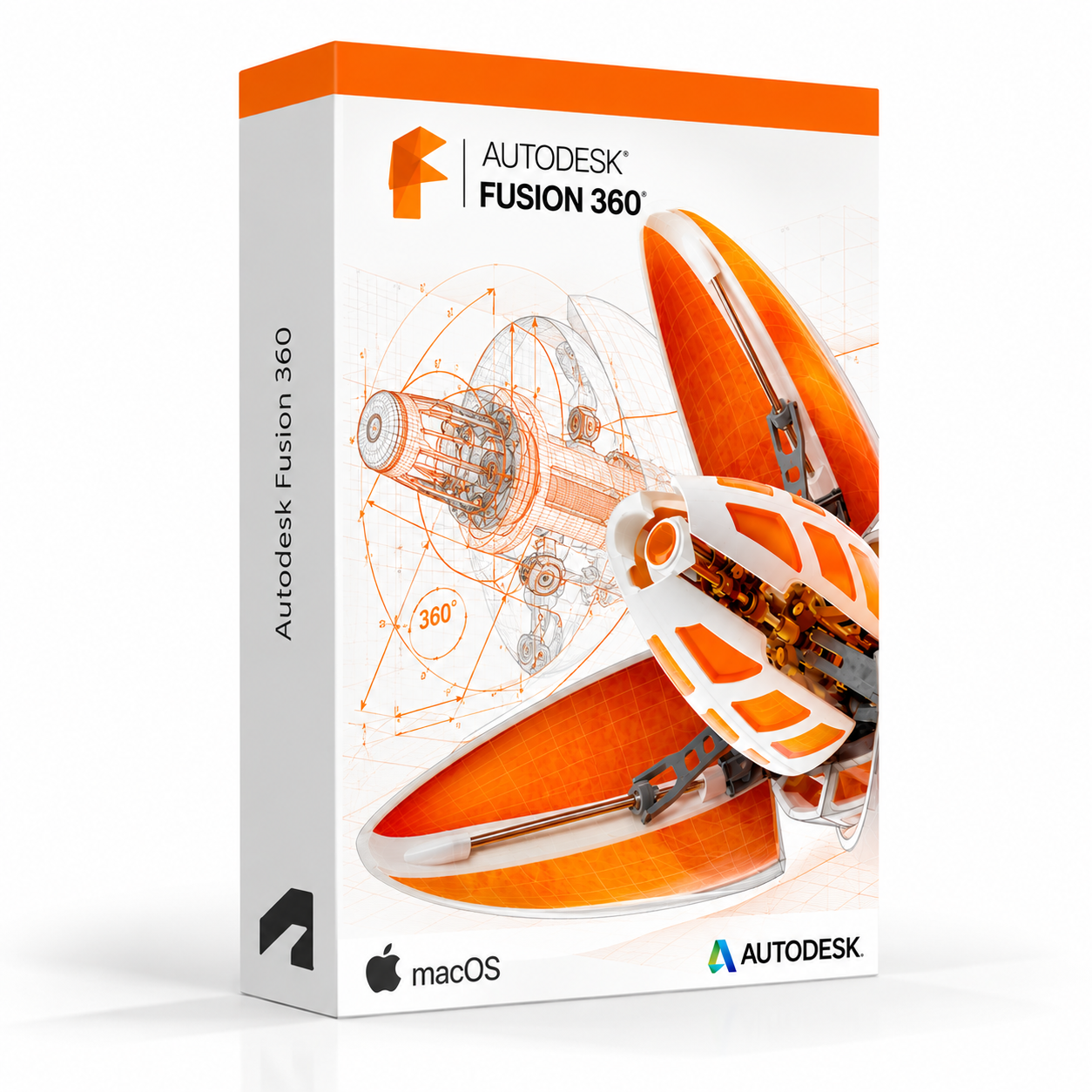
Autodesk Fusion 360 for Mac – UK Digital CAD CAM Licence
Autodesk Fusion 360 for Mac is a professional cloud-connected CAD, CAM, CAE and PCB design software solution designed for users who need integrated tools for 3D product design, engineering simulation, manufacturing preparation, electronics design and collaborative product development on a Mac. It is ideal for product design students, mechanical engineering learners, makers, hobbyists, industrial designers and users who need a single integrated platform covering the full product design and manufacturing workflow from concept through to production on macOS.
Fusion 360 combines parametric 3D modelling, freeform sculpting, assembly design, simulation, generative design, CAM toolpath generation and PCB layout in a single cloud-connected application optimised for macOS. It helps users design, test and prepare products for manufacture faster by keeping design, engineering and manufacturing data connected throughout the product development process. With cloud storage, collaboration features and regular updates, Fusion 360 provides a modern and integrated product design environment for Mac users.
For a complete design setup, you can also explore our Autodesk software, compare related products, or choose Autodesk Fusion 360 for Windows if you need the same integrated CAD CAM platform on a Windows PC instead.
Important Notice About Fusion 360 for Mac
Autodesk Fusion 360 is available for both macOS and Windows. This listing is for the Mac version. Fusion 360 requires an internet connection for sign-in, cloud storage and access to certain features. Some features are available for limited offline use after initial sign-in. Please ensure your Mac meets the Fusion 360 system requirements before purchasing.
This product is suitable for personal learning, training and non-commercial product design and engineering projects. If you need Fusion 360 for commercial, manufacturing or professional client work, make sure your licence type clearly allows commercial use.
Why Choose Autodesk Fusion 360 for Mac?
- Integrated CAD, CAM, CAE and PCB design platform in a single cloud-connected application for Mac
- Native macOS experience with a Mac-optimised interface and workflow
- Designed for product design, mechanical engineering, manufacturing preparation and electronics design
- Combines parametric modelling, freeform sculpting, simulation and CAM toolpath generation
- Cloud storage and collaboration features for connected product development workflows
- Includes generative design tools for exploring optimised design solutions
- Suitable for product design students, makers, hobbyists and engineering learners on Mac
- Compatible with macOS and regularly updated through Autodesk’s cloud platform
- Lifetime access according to this product offer
- Digital delivery by email after order confirmation
- Activation instructions included
- Installation and activation support available when needed
Key Features of Autodesk Fusion 360 for Mac
- Parametric 3D Modelling: Create precise 3D models using parametric modelling tools with a fully history-based design approach for easy design iteration and modification on macOS.
- Freeform Sculpting: Use T-Spline freeform sculpting tools to create organic and complex shapes that complement parametric modelling for industrial and consumer product design.
- Assembly Design: Build multi-component assemblies with joints, constraints and motion studies to design and validate complete product mechanisms and assemblies.
- Simulation and CAE: Run structural, thermal, modal and other simulation studies directly within Fusion 360 to validate designs and identify potential engineering issues before manufacturing.
- CAM and Toolpath Generation: Generate 2.5-axis, 3-axis, 4-axis and 5-axis CNC machining toolpaths directly from 3D models to prepare designs for CNC manufacturing workflows.
- Generative Design: Use generative design tools to automatically explore multiple design solutions based on engineering constraints, materials and manufacturing methods.
- PCB and Electronics Design: Design printed circuit boards and integrate electronic components with mechanical enclosures using the integrated PCB design environment.
- Rendering and Visualisation: Produce photorealistic product renderings using the integrated rendering environment with physically based materials, lighting and scene settings.
- Drawing and Documentation: Create 2D engineering drawings and manufacturing documentation directly from 3D models with automated views, dimensions and annotations.
- Cloud Storage and Collaboration: Store projects in the cloud and collaborate with team members by sharing designs, managing versions and reviewing models online.
- Additive Manufacturing: Prepare designs for 3D printing with additive manufacturing toolpath generation and print setup tools built into the manufacturing workspace.
- Data Interoperability: Import and export a wide range of CAD formats including STEP, IGES, DXF, OBJ, STL and others for working with data from other design tools on Mac or Windows.
Fusion 360 for Mac vs Fusion 360 for Windows, Inventor, SolidWorks and Onshape
Autodesk Fusion 360 for Mac is a strong choice for Mac users who need an integrated cloud-connected CAD, CAM and CAE platform. Fusion 360 for Windows offers the same experience on a Windows PC, Inventor is better suited to professional mechanical engineering with deeper assembly tools, SolidWorks is an industry-standard mechanical CAD platform, while Onshape is a fully browser-based CAD platform for collaborative cloud design.
| Software | Best For | Main Use |
|---|---|---|
| Fusion 360 for Mac | Mac-based product designers, makers, engineering students and hobbyists | Integrated CAD, CAM, CAE and PCB design for product development, manufacturing preparation and engineering simulation on macOS |
| Fusion 360 for Windows | Windows-based product designers, makers and engineering students | Same integrated CAD, CAM, CAE and PCB design workflow on a compatible Windows PC |
| Autodesk Inventor | Mechanical engineers and professional product designers | Professional mechanical CAD, parametric modelling, assemblies, simulation and manufacturing documentation |
| SolidWorks | Mechanical engineers, product designers and manufacturing users | 3D mechanical CAD, parts, assemblies, simulations and production drawing workflows |
| Onshape | Teams needing fully browser-based collaborative CAD | Cloud-native parametric CAD with real-time collaboration, version control and browser-based access |
Which Software Should You Choose?
- Choose Autodesk Fusion 360 for Mac if you need an integrated cloud-connected platform covering CAD, CAM, CAE and PCB design for product development, manufacturing and engineering learning on macOS.
- Choose Autodesk Fusion 360 for Windows if you need the same integrated CAD CAM platform on a Windows PC instead.
- Choose Autodesk Inventor if you need a dedicated professional mechanical engineering CAD platform with deeper assembly, simulation and manufacturing documentation tools.
- Choose SolidWorks if you need an industry-standard mechanical CAD platform for parts, assemblies, simulations and production workflows.
- Choose Onshape if you need a fully browser-based collaborative CAD platform without any local software installation on Mac or Windows.
Recommended Products
- Autodesk Software – compare AutoCAD, Revit, Maya, Inventor and other Autodesk tools.
- Autodesk Fusion 360 for Windows – recommended if you need the same integrated CAD CAM experience on a Windows PC.
- Autodesk Inventor – recommended for professional mechanical engineering and product design workflows.
- Autodesk AutoCAD – suitable for 2D drafting and DWG-based design workflows.
- Microsoft Office – useful for project documents, spreadsheets, reports and client presentations.
System Requirements for Autodesk Fusion 360 for Mac
| Component | Requirement |
|---|---|
| Platform | Apple Mac |
| Operating System | Apple macOS (check Autodesk’s current system requirements for supported macOS versions) |
| Processor | 64-bit Intel or Apple Silicon processor |
| Memory | Basic: 4 GB RAM; recommended: 8 GB RAM or more |
| Display | 1280 x 800 display minimum; recommended: 1920 x 1080 or higher; Retina display supported |
| Graphics | 1 GB GPU or higher; Metal-capable GPU recommended for best 3D performance on Mac |
| Storage | 3 GB available disk space for Fusion 360 installation; SSD recommended |
| Pointing Device | Apple Mouse, Multi-Touch trackpad or three-button mouse recommended for 3D viewport navigation |
| Internet | Required for sign-in, cloud storage, collaboration features, updates and Autodesk account access; broadband connection recommended |
Delivery and Activation
- Product: Autodesk Fusion 360 for Mac
- Platform: Apple Mac
- Licence Type: Digital licence
- Use Type: Educational, personal and non-commercial use
- Licence Duration: Lifetime access according to this product offer
- Delivery Method: Digital delivery by email
- Activation: Activation instructions provided after purchase
- Support: Installation and activation assistance available
How to Get Started
- Complete your order for Autodesk Fusion 360 for Mac.
- Receive your product details and activation instructions by email.
- Check that your Mac meets the Fusion 360 for Mac system requirements.
- Download and install Fusion 360 on your compatible Mac.
- Sign in with the Autodesk account or activation method provided with your order.
- Follow the activation instructions to complete setup.
- Connect to the internet and begin your CAD, CAM and product design workflow in Fusion 360 on macOS.
- Contact our support team if you need help with installation or activation.
Who Is Autodesk Fusion 360 for Mac For?
- Mac-based product design and engineering students and learners
- Makers, hobbyists and independent designers working on personal projects using Mac
- Mechanical engineering and industrial design learners on macOS
- Mac users who need CAD and CAM tools for CNC machining and 3D printing workflows
- Electronics and PCB design students working on integrated product development on Mac
- Users who want a single platform covering design, simulation and manufacturing preparation on macOS
- Users looking for a cloud-connected and regularly updated design tool on Mac
Important Licence Information
This Autodesk Fusion 360 for Mac licence is intended for educational, personal and non-commercial use. It is suitable for learning, training and personal product design, engineering and manufacturing projects on macOS. It should not be used for commercial, manufacturing or professional client work unless your licence type clearly allows commercial use.
Fusion 360 requires an internet connection for sign-in and cloud-connected features. Before purchasing, please make sure your Mac meets the Fusion 360 system requirements and that this licence type matches your intended use.
What is Autodesk Fusion 360 for Mac?
Autodesk Fusion 360 for Mac is an integrated cloud-connected CAD, CAM, CAE and PCB design platform for product design, mechanical engineering, manufacturing preparation and electronics design on compatible Mac computers running macOS.
Does Fusion 360 for Mac support Apple Silicon?
Autodesk has been expanding Apple Silicon support across its Mac products. Please check Autodesk’s current system requirements for Fusion 360 to confirm the latest Apple Silicon compatibility before purchasing.
Is Fusion 360 for Mac the same as Fusion 360 for Windows?
Yes. Fusion 360 for Mac and Fusion 360 for Windows offer the same core CAD, CAM, CAE and PCB design functionality, with cloud-connected storage and collaboration features. The Mac version is optimised for macOS with support for Mac-specific input devices and the macOS interface.
What is the difference between Fusion 360 and Inventor?
Fusion 360 is an integrated cloud-connected platform covering CAD, CAM, CAE, PCB and generative design in a single application, suited to product design students, makers and engineering learners. Inventor is a dedicated professional mechanical engineering CAD platform with deeper assembly, simulation and manufacturing documentation tools suited to more advanced engineering workflows.
Does Fusion 360 for Mac include CAM tools for CNC machining?
Yes. Fusion 360 for Mac includes integrated CAM tools for generating CNC machining toolpaths including 2.5-axis, 3-axis, 4-axis and 5-axis strategies directly from 3D models within the same application.
Does Fusion 360 for Mac include simulation tools?
Yes. Fusion 360 for Mac includes simulation tools for structural, thermal, modal and other engineering analysis studies, allowing users to validate designs and identify potential issues before committing to manufacturing.
Can I design PCBs in Fusion 360 for Mac?
Yes. Fusion 360 for Mac includes an integrated PCB design environment that allows users to design printed circuit boards and link electronic designs with mechanical enclosures within the same product development workflow.
Does Fusion 360 for Mac require an internet connection?
Fusion 360 requires an internet connection for sign-in, cloud storage and access to certain features. Some design and modelling functionality is available for limited offline use after initial sign-in, but a broadband connection is recommended for the best experience.
Can I collaborate with Windows users using Fusion 360 for Mac?
Yes. Fusion 360 uses cloud-based project storage, so Mac and Windows users can collaborate on the same projects, share designs, manage versions and review models together regardless of their operating system.
Can I use this licence for commercial projects?
This product is described as an educational licence for personal, learning and non-commercial use. Commercial use requires a licence type that allows commercial work.
How will I receive my Fusion 360 for Mac licence?
Your product details and activation instructions will be delivered digitally by email after order confirmation.
Do you provide installation support?
Yes. Installation and activation support is available if you need help setting up Autodesk Fusion 360 for Mac.




Megan H. –
I’ve tried similar services before, but this one stood out for how efficient it was. Everything worked instantly without any delays. I appreciated the professionalism and how secure the whole process felt. It made me confident to use it again in the future.
Oscar F. –
I couldn’t believe how fast it was. Everything worked instantly, and the process was simple. It was very professional and trustworthy. I highly recommend it.
Nancy T. –
I appreciated how simple everything was. The process was clear, and activation worked right away. It felt reliable and secure, with no complications. Everything went better than expected. I’ll gladly recommend it to others.
Sophie T. –
I had a smooth and easy experience. The process was transparent, and everything worked right away.
Keira T. –
I had to read the instructions carefully, but it worked after that.
Bradley C. –
The whole process was straightforward. Everything was active in minutes.
June B. –
Clear instructions and a clean setup process.
Alfie B. –
I liked how everything was explained clearly. The process was quick, and activation was seamless. It felt safe and trustworthy the whole way through. I’ll use it again.
Grace M. –
I didn’t have to wait at all, everything was activated immediately. The process was simple and secure. I was very satisfied with the speed and reliability. Highly recommend.
James B. –
The whole thing felt quite normal.
Hamza S. –
The setup felt a bit clunky in places, though it still did the job without needing fixes.
Chloe T. –
Very efficient service. The process was smooth and without any stress.
Sarah S. –
I really liked how professional the service felt. Everything was activated quickly and without any hassle. The steps were easy to follow and gave me peace of mind. Highly recommend.
Leonard D. –
The download link worked right away, and installation went fine on my system.
Oscar I. –
I expected it to be harder, but it was actually pretty easy.
Jack C. –
The process was actually easier than I thought it would be. I took my time reading the instructions, installed it, and it worked right away. No errors or weird messages.
Catriona R. –
Activation worked on the first try, which was a relief. No extra steps needed.
Tom B. –
Setup was fine, no complaints.
Adam B. –
The whole thing felt simple and well explained. I didn’t feel lost at any point.
Imran C. –
Nothing confusing at any point.
Thomas H. –
No need for troubleshooting.
Layla M. –
Setup felt slow at one point, though it finished without issues.
Henry B. –
The setup wasn’t instant and required a bit of patience, but I didn’t run into any technical problems.
Mariam L. –
Download and installation were both easy enough to handle.
Jack R. –
It worked, even if it took a bit of patience.
Craig L. –
Nothing to complain about, really.
Pearl T. –
Download speed was good, and setup was simple.
Erin L. –
The instructions helped, though they could’ve been clearer in one or two places. Nothing broke, at least.
Sophie B. –
Took a few minutes, that’s all.
Amber W. –
Activation went through without errors.
Aisha T. –
It was fine, no drama.