
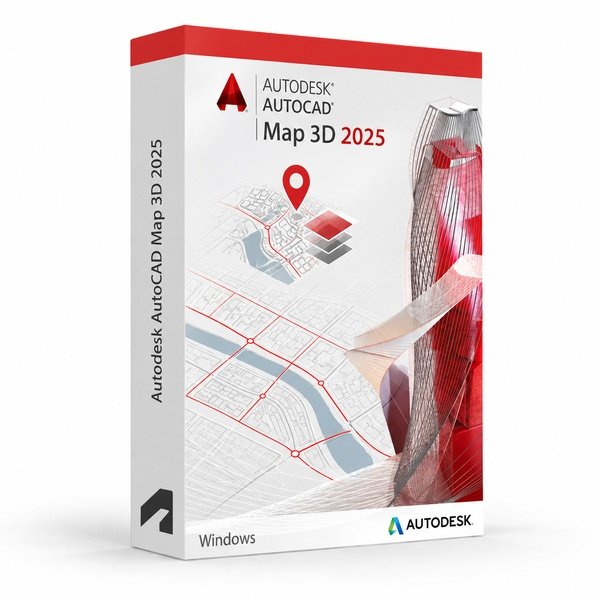
Autodesk AutoCAD Map 3D 2025 for Windows – UK Digital GIS CAD Licence
Autodesk AutoCAD Map 3D 2025 for Windows is a professional GIS and mapping CAD software solution designed for users who need specialised tools for geospatial data management, infrastructure mapping, land use planning, spatial analysis, feature classification and DWG-based mapping workflows on a Windows PC. It is ideal for GIS professionals, civil engineering students, infrastructure planners, mapping technicians and users who need an AutoCAD workflow focused on geospatial and mapping design.
AutoCAD Map 3D 2025 includes the familiar AutoCAD drafting environment with GIS-specific tools for connecting to spatial data, managing geospatial features, working with coordinate systems, creating intelligent maps, producing infrastructure documentation and publishing map data. It helps users create accurate mapping drawings faster than manual drafting by using intelligent GIS objects, connected spatial data sources and automation features.
For a complete design setup, you can also explore our Autodesk software, compare related AutoCAD products, or choose Autodesk AutoCAD 2025 for Windows if you need the full AutoCAD package with multiple specialised toolsets.
Important Notice About AutoCAD Map 3D 2025 for Windows
Autodesk AutoCAD Map 3D 2025 is part of the AutoCAD specialised toolsets and is designed for Windows users. The Map 3D toolset is not available natively on macOS, so users who need AutoCAD Map 3D should use a compatible Windows PC.
This product is suitable for personal learning, training and non-commercial GIS and mapping projects. If you need AutoCAD Map 3D for commercial, infrastructure or professional client work, make sure your licence type clearly allows commercial use.
Why Choose Autodesk AutoCAD Map 3D 2025 for Windows?
- Professional GIS and mapping CAD software for Windows users
- Designed for geospatial data management, infrastructure mapping and land planning workflows
- Connects directly to GIS data sources including SHP, SDF, Oracle Spatial and WMS
- Useful for feature classification, spatial analysis, coordinate systems and map publishing
- Works with DWG files and the familiar AutoCAD drafting environment
- Helps automate geospatial layers, feature data, map styles and spatial queries
- Suitable for compatible 64-bit Windows PCs
- Lifetime access according to this product offer
- Digital delivery by email after order confirmation
- Activation instructions included
- Installation and activation support available when needed
Key Features of AutoCAD Map 3D 2025
- GIS and Mapping Tools: Create professional geospatial maps, infrastructure plans, land use drawings and feature-rich mapping documentation using GIS-specific CAD tools.
- Connected Spatial Data Sources: Connect directly to GIS data formats including SHP, SDF, Oracle Spatial, WFS and WMS for integrated mapping workflows.
- Feature Classification and Management: Classify and manage map features with intelligent object data, attribute tables and feature-based styling for more organised geospatial drawings.
- Coordinate System Support: Work with hundreds of built-in coordinate systems and projections to ensure accurate geospatial positioning and mapping accuracy.
- Spatial Analysis Tools: Use spatial query and analysis tools to interrogate, filter and process geospatial data directly within the AutoCAD environment.
- Map Publishing and Output: Publish and export map data to formats including DWG, SHP, SDF, KML and other GIS-compatible outputs for sharing and collaboration.
- Infrastructure Planning Support: Create infrastructure maps for utilities, roads, land use and other geospatial planning projects using standards-based drawing tools.
- Layer and Style Management: Manage map layers and apply feature-based styles to control how geospatial objects appear across different mapping scales and outputs.
- AutoCAD Drafting Environment: Use the full AutoCAD drafting environment for precise drawing, annotation, dimensioning and DWG editing alongside GIS tools.
- Topology and Data Integrity: Maintain topological relationships between map features and validate spatial data integrity within connected mapping projects.
- Geospatial Annotation: Add labels, annotations and callouts based on feature attribute data to create more informative and readable map drawings.
- DWG File Compatibility: Create, edit and share DWG files using the AutoCAD-based GIS and mapping design environment.
AutoCAD Map 3D 2025 vs AutoCAD 2025, AutoCAD LT, Civil 3D and ArcGIS
Autodesk AutoCAD Map 3D 2025 for Windows is a strong choice for users who need AutoCAD drafting combined with GIS and geospatial data tools. Standard AutoCAD is broader for general CAD work, AutoCAD LT is lighter for 2D drafting only, Civil 3D is better suited for full civil engineering design, while ArcGIS is a dedicated GIS platform for advanced spatial analysis and enterprise mapping workflows.
| Software | Best For | Main Use |
|---|---|---|
| AutoCAD Map 3D 2025 | GIS professionals, mapping technicians and infrastructure planners | GIS data management, geospatial mapping, feature classification, spatial analysis and infrastructure mapping |
| AutoCAD 2025 | General CAD users, engineers and designers | 2D drafting, 3D CAD modelling, DWG editing and specialised toolsets |
| AutoCAD LT 2025 | Users who only need lightweight 2D drafting | 2D drawings and DWG editing without full 3D tools or GIS automation features |
| AutoCAD Civil 3D | Civil engineers and infrastructure designers | Civil engineering design, grading, road alignment, drainage, surveying and construction documentation |
| ArcGIS | GIS specialists, spatial analysts and enterprise mapping users | Advanced spatial analysis, enterprise GIS, web mapping, remote sensing and large-scale geospatial data management |
Which Software Should You Choose?
- Choose Autodesk AutoCAD Map 3D 2025 for Windows if you need AutoCAD-based tools for GIS data management, geospatial mapping, feature classification, spatial queries and infrastructure mapping workflows.
- Choose Autodesk AutoCAD 2025 for Windows if you need the full AutoCAD package with multiple specialised toolsets.
- Choose AutoCAD LT if you only need simple 2D drafting and do not need GIS or mapping automation tools.
- Choose AutoCAD Civil 3D if you need full civil engineering design with grading, alignment, drainage and survey tools.
- Choose ArcGIS if you need an enterprise GIS platform for advanced spatial analysis, web mapping and large-scale geospatial data management.
Recommended Products
- Autodesk Software – compare AutoCAD, Revit, Civil 3D, Inventor and other Autodesk tools.
- Autodesk AutoCAD – explore more AutoCAD versions for Windows and macOS.
- Autodesk AutoCAD 2025 for Windows – recommended if you need all AutoCAD specialised toolsets.
- AutoCAD Civil 3D – suitable for civil engineering design, surveying and infrastructure workflows.
- Windows Licences – suitable if you need a compatible Windows operating system.
- Microsoft Office – useful for project documents, spreadsheets, reports and client presentations.
System Requirements for Autodesk AutoCAD Map 3D 2025 for Windows
| Component | Requirement |
|---|---|
| Platform | Windows PC |
| Operating System | 64-bit Microsoft Windows 11 or Windows 10 |
| Processor | Basic: 2.5–2.9 GHz processor; recommended: 3+ GHz processor |
| Memory | Basic: 16 GB RAM for AutoCAD Map 3D; recommended: 32 GB RAM |
| Display | 1920 x 1080 with True Color; high-resolution and 4K displays supported with a recommended graphics card |
| Graphics | Minimum: 2 GB GPU compatible with DirectX 11; recommended: 8 GB GPU compatible with DirectX 12 |
| Storage | 12 GB available disk space for AutoCAD Map 3D; SSD recommended |
| Pointing Device | MS-Mouse compliant pointing device |
| Internet | Required for download, installation, sign-in, activation, updates and Autodesk account access |
Delivery and Activation
- Product: Autodesk AutoCAD Map 3D 2025 for Windows
- Platform: Windows PC
- Licence Type: Digital licence
- Use Type: Educational, personal and non-commercial use
- Licence Duration: Lifetime access according to this product offer
- Delivery Method: Digital delivery by email
- Activation: Activation instructions provided after purchase
- Support: Installation and activation assistance available
How to Get Started
- Complete your order for Autodesk AutoCAD Map 3D 2025 for Windows.
- Receive your product details and activation instructions by email.
- Check that your Windows PC meets the AutoCAD Map 3D 2025 system requirements.
- Download and install AutoCAD Map 3D 2025 on your compatible Windows computer.
- Sign in with the Autodesk account or activation method provided with your order.
- Follow the activation instructions to complete setup.
- Restart AutoCAD Map 3D if required and begin your GIS and mapping CAD workflow.
- Contact our support team if you need help with installation or activation.
Who Is Autodesk AutoCAD Map 3D 2025 for Windows For?
- GIS professionals and geospatial mapping users
- Civil engineering and infrastructure planning students
- Mapping and surveying technicians
- Land use planners and urban design learners
- Users who need geospatial DWG drawings and feature-based mapping
- Users working with SHP, SDF, WMS and other GIS data formats
- Users who prefer AutoCAD drafting with GIS-specific mapping tools
Important Licence Information
This Autodesk AutoCAD Map 3D 2025 for Windows licence is intended for educational, personal and non-commercial use. It is suitable for learning, training and personal GIS and mapping CAD projects. It should not be used for commercial, infrastructure or professional client work unless your licence type clearly allows commercial use.
AutoCAD Map 3D is a Windows-only specialised toolset. It is not available natively in AutoCAD for Mac. Before purchasing, please make sure your Windows PC is compatible with AutoCAD Map 3D 2025 and that this licence type matches your intended use.
What is Autodesk AutoCAD Map 3D 2025 for Windows?
Autodesk AutoCAD Map 3D 2025 for Windows is a GIS and mapping-focused AutoCAD toolset for creating geospatial maps, infrastructure drawings, feature classifications, spatial analyses and DWG-based mapping documentation on Windows PCs.
Is AutoCAD Map 3D 2025 included with AutoCAD 2025?
Yes. The Map 3D toolset is included with AutoCAD 2025 as one of the specialised toolsets for Windows users.
Does AutoCAD Map 3D 2025 work on Windows 11?
Yes. AutoCAD Map 3D 2025 is designed for compatible 64-bit Windows systems, including Windows 11.
Can I install AutoCAD Map 3D 2025 on Windows 10?
Yes. AutoCAD Map 3D 2025 supports compatible 64-bit Windows 10 systems.
Does AutoCAD Map 3D 2025 work on Mac?
No. AutoCAD Map 3D is part of the Windows-only specialised toolsets and is not available natively in AutoCAD for Mac.
What GIS data formats does AutoCAD Map 3D support?
AutoCAD Map 3D supports a range of GIS data formats including SHP, SDF, Oracle Spatial, WFS and WMS, allowing users to connect to and work with geospatial data directly within the AutoCAD environment.
What is the difference between AutoCAD and AutoCAD Map 3D?
AutoCAD is general CAD software for 2D drafting, 3D modelling and DWG editing. AutoCAD Map 3D adds GIS-specific tools such as connected spatial data sources, feature classification, coordinate systems, spatial queries, map publishing and geospatial annotation workflows.
What is the difference between AutoCAD Map 3D and Civil 3D?
AutoCAD Map 3D is focused on GIS data management, geospatial mapping and feature-based mapping workflows. Civil 3D is designed for civil engineering design including grading, road alignment, drainage, surveying and construction documentation.
Is AutoCAD Map 3D the same as ArcGIS?
No. AutoCAD Map 3D is AutoCAD-based GIS and mapping software focused on DWG-based geospatial workflows. ArcGIS is a dedicated enterprise GIS platform for advanced spatial analysis, web mapping and large-scale geospatial data management.
Can I use this licence for commercial projects?
This product is described as an educational licence for personal, learning and non-commercial use. Commercial use requires a licence type that allows commercial work.
How will I receive my AutoCAD Map 3D 2025 licence?
Your product details and activation instructions will be delivered digitally by email after order confirmation.
Do you provide installation support?
Yes. Installation and activation support is available if you need help setting up Autodesk AutoCAD Map 3D 2025 for Windows.



Scarlett K. –
I’m really happy with the outcome. Everything was fast, clear, and easy.
John H. –
Clear and easy process, no issues.
Bradley S. –
Instant activation, perfect service.
Leo J. –
Very smooth and straightforward.
Lucy C. –
The activation was immediate. I was done in less than five minutes.
Lucy M. –
The service was efficient, fast, and professional. I didn’t have to wait for anything, and activation was seamless. The steps were easy to follow, which made it very stress-free. Everything worked just as promised. I’m very pleased with the result.
Chloe F. –
The entire process was smooth and efficient. Everything was activated right away, and I didn’t face any problems. It gave me confidence to know the service was professional and trustworthy. I’m very pleased. Highly recommend.
Alice K. –
I liked how everything was well organized and easy to understand. The order was processed immediately, and activation took no time at all. I didn’t need to ask for any help because everything worked perfectly the first time. The entire experience was smooth and stress-free. Highly recommend this service.
Richard B. –
The ordering was simple, and activation happened almost instantly. Everything worked perfectly without any complications. I appreciated how professional the service felt at every step. It gave me complete confidence in the process. I will definitely use it again.
Mark M. –
I had no issues at all, which was great. The activation was quick, and the process was easy to follow. Everything felt professional and safe. I would recommend it.
Esme R. –
Everything downloaded and installed smoothly.
Imogen S. –
Everything was ready to use within minutes.
Peter L. –
I appreciated how straightforward the whole process was. Everything was completed in a matter of minutes.
Owen K. –
Worked fine on my system without any tweaks.
Steven A. –
The whole process was stress-free. Everything worked straight away, and I never had to worry about delays. It was quick, reliable, and very professional. I couldn’t be happier.
India S. –
Overall, it was a smooth experience.
Andre A. –
Activation wasn’t instant, but it only took a short moment and then worked.
Harry B. –
I had to wait during part of the process, which made me unsure, but it completed normally.
Fatima B. –
It worked first time, which honestly surprised me a bit. Setup still took a few minutes.
Miles N. –
I didn’t have to contact support or look anything up. Just followed the steps and it worked.
Mohammad K. –
Instructions were clear and easy to follow.
Erin P. –
I didn’t notice any bugs during installation.
Katie W. –
Did the job without any fuss.”
Mhairi C. –
The whole thing felt pretty normal. No fancy setup, no extra steps, just download, install, and use.
Laura H. –
Clean, fast, and efficient.
Ailsa W. –
Download was quick and the setup went fine. Took a minute to read the steps, but after that it worked.
Dean W. –
No complaints so far.
Edward S. –
I wouldn’t say it was smooth, but it got the job done.
Sean S. –
No issues showed up during installation.
Paul W. –
No errors or problems once I followed the steps.
Samuel M. –
Once finished, everything behaved as expected.