
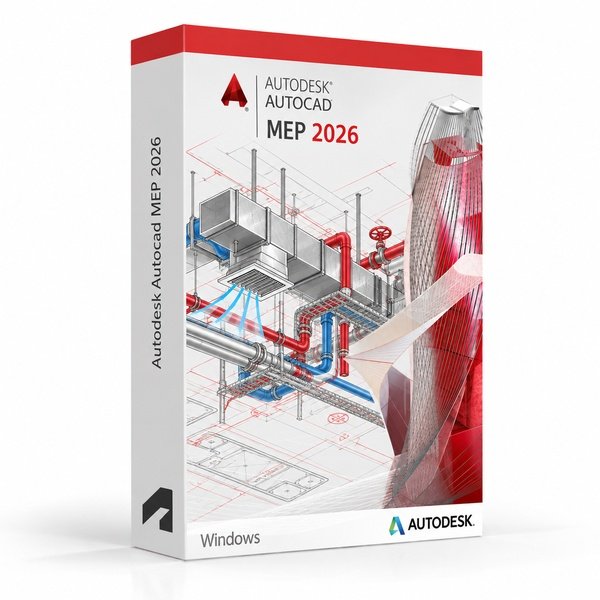
Autodesk AutoCAD MEP 2026 for Windows – UK Digital MEP CAD Licence
Autodesk AutoCAD MEP 2026 for Windows is a professional mechanical, electrical and plumbing CAD software solution designed for users who need specialised tools for building services design, MEP drafting, HVAC layouts, electrical schematics, plumbing plans, pipe routing and DWG-based building engineering documentation on a Windows PC. It is ideal for MEP engineering students, building services designers, HVAC technicians, electrical and plumbing drafters and users who need an AutoCAD workflow focused on mechanical, electrical and plumbing building systems.
AutoCAD MEP 2026 includes the familiar AutoCAD drafting environment with MEP-specific tools for designing and documenting building systems, placing intelligent MEP objects, generating accurate schematics, managing interference detection and producing coordinated building services drawings. It helps users create MEP drawings faster than manual drafting by using intelligent MEP objects, standards-based component libraries and automation features.
For a complete design setup, you can also explore our Autodesk software, compare related AutoCAD products, or choose Autodesk AutoCAD 2026 for Windows if you need the full AutoCAD package with multiple specialised toolsets.
Important Notice About AutoCAD MEP 2026 for Windows
Autodesk AutoCAD MEP 2026 is part of the AutoCAD specialised toolsets and is designed for Windows users. The MEP toolset is not available natively on macOS, so users who need AutoCAD MEP should use a compatible Windows PC.
This product is suitable for personal learning, training and non-commercial MEP and building services design projects. If you need AutoCAD MEP for commercial, construction or professional client work, make sure your licence type clearly allows commercial use.
Why Choose Autodesk AutoCAD MEP 2026 for Windows?
- Professional MEP CAD software for mechanical, electrical and plumbing design on Windows
- Designed for building services drafting, HVAC layouts, electrical schematics and plumbing plans
- Includes intelligent MEP objects and standards-based component libraries for faster design
- Useful for pipe routing, duct sizing, cable tray layouts and building system coordination
- Works with DWG files and the familiar AutoCAD drafting environment
- Helps automate MEP layers, annotations, schedules and interference detection
- Suitable for compatible 64-bit Windows PCs
- Lifetime access according to this product offer
- Digital delivery by email after order confirmation
- Activation instructions included
- Installation and activation support available when needed
Key Features of AutoCAD MEP 2026
- MEP Drafting Tools: Create professional mechanical, electrical and plumbing drawings, building services layouts and system documentation using MEP-specific CAD tools.
- Intelligent MEP Objects: Place intelligent MEP components including ducts, pipes, cable trays, equipment, fixtures and fittings that carry engineering data throughout the drawing.
- HVAC and Duct Design: Design HVAC systems with duct routing, sizing, fittings and airflow documentation tools suited to mechanical building services workflows.
- Electrical Schematics and Layouts: Create electrical panel schedules, wiring diagrams, power and lighting layouts and cable tray routing documentation for building electrical systems.
- Plumbing and Pipe Routing: Design plumbing and piping systems with intelligent pipe routing, fittings, fixtures and flow documentation for building services projects.
- Interference Detection: Identify and resolve clashes between MEP systems within the drawing environment to reduce coordination errors before construction.
- Automated Schedules and Reports: Generate equipment schedules, parts lists and system reports automatically from intelligent MEP object data within the drawing.
- Standards-Based Component Libraries: Access libraries of standards-based MEP components, fittings, equipment and fixtures for faster and more consistent building services design.
- Layer and Annotation Management: Use automated MEP layer management and annotation tools to maintain consistent drawing standards across building services documentation.
- AutoCAD Drafting Environment: Use the full AutoCAD drafting environment for precise drawing, dimensioning, annotation and DWG editing alongside MEP-specific tools.
- System Colour Coding: Apply system-based colour coding to MEP objects to differentiate mechanical, electrical and plumbing elements clearly within coordinated drawings.
- DWG File Compatibility: Create, edit and share DWG files using the AutoCAD-based MEP building services design environment.
AutoCAD MEP 2026 vs AutoCAD 2026, AutoCAD LT, Revit MEP and AutoCAD Plant 3D
Autodesk AutoCAD MEP 2026 for Windows is a strong choice for users who need AutoCAD drafting with dedicated mechanical, electrical and plumbing building services tools. Standard AutoCAD is broader for general CAD work, AutoCAD LT is lighter for 2D drafting only, Revit MEP is better suited for full BIM-based MEP design, while AutoCAD Plant 3D is focused on industrial process plant and piping design rather than building services.
| Software | Best For | Main Use |
|---|---|---|
| AutoCAD MEP 2026 | MEP engineers, building services designers and HVAC drafters | Mechanical, electrical and plumbing building services design, HVAC layouts, electrical schematics and plumbing plans |
| AutoCAD 2026 | General CAD users, engineers and designers | 2D drafting, 3D CAD modelling, DWG editing and specialised toolsets |
| AutoCAD LT 2026 | Users who only need lightweight 2D drafting | 2D drawings and DWG editing without full 3D tools or MEP automation features |
| Revit MEP | MEP engineers and BIM coordinators | BIM-based mechanical, electrical and plumbing design, coordination, clash detection and construction documentation |
| AutoCAD Plant 3D | Process plant and piping engineers | Industrial plant design, process piping, P&ID schematics and plant layout documentation |
Which Software Should You Choose?
- Choose Autodesk AutoCAD MEP 2026 for Windows if you need AutoCAD-based tools for mechanical, electrical and plumbing building services design, HVAC layouts, electrical schematics and plumbing documentation.
- Choose Autodesk AutoCAD 2026 for Windows if you need the full AutoCAD package with multiple specialised toolsets.
- Choose AutoCAD LT if you only need simple 2D drafting and do not need MEP automation or building services tools.
- Choose Revit MEP if you need full BIM-based MEP design with clash detection, coordination and construction documentation.
- Choose AutoCAD Plant 3D if you need industrial process plant design, piping and P&ID schematic workflows.
Recommended Products
- Autodesk Software – compare AutoCAD, Revit, Civil 3D, Inventor and other Autodesk tools.
- Autodesk AutoCAD – explore more AutoCAD versions for Windows and macOS.
- Autodesk AutoCAD 2026 for Windows – recommended if you need all AutoCAD specialised toolsets.
- Autodesk Revit – suitable for BIM-based architectural, structural and MEP design workflows.
- Windows Licences – suitable if you need a compatible Windows operating system.
- Microsoft Office – useful for project documents, spreadsheets, reports and client presentations.
System Requirements for Autodesk AutoCAD MEP 2026 for Windows
| Component | Requirement |
|---|---|
| Platform | Windows PC |
| Operating System | 64-bit Microsoft Windows 11 or Windows 10 |
| Processor | Basic: 2.5–2.9 GHz processor; recommended: 3+ GHz processor |
| Memory | Basic: 16 GB RAM for AutoCAD MEP; recommended: 32 GB RAM |
| Display | 1920 x 1080 with True Color; high-resolution and 4K displays supported with a recommended graphics card |
| Graphics | Minimum: 2 GB GPU compatible with DirectX 11; recommended: 8 GB GPU compatible with DirectX 12 |
| Storage | 12 GB available disk space for AutoCAD MEP; SSD recommended |
| Pointing Device | MS-Mouse compliant pointing device |
| Internet | Required for download, installation, sign-in, activation, updates and Autodesk account access |
Delivery and Activation
- Product: Autodesk AutoCAD MEP 2026 for Windows
- Platform: Windows PC
- Licence Type: Digital licence
- Use Type: Educational, personal and non-commercial use
- Licence Duration: Lifetime access according to this product offer
- Delivery Method: Digital delivery by email
- Activation: Activation instructions provided after purchase
- Support: Installation and activation assistance available
How to Get Started
- Complete your order for Autodesk AutoCAD MEP 2026 for Windows.
- Receive your product details and activation instructions by email.
- Check that your Windows PC meets the AutoCAD MEP 2026 system requirements.
- Download and install AutoCAD MEP 2026 on your compatible Windows computer.
- Sign in with the Autodesk account or activation method provided with your order.
- Follow the activation instructions to complete setup.
- Restart AutoCAD MEP if required and begin your mechanical, electrical and plumbing CAD workflow.
- Contact our support team if you need help with installation or activation.
Who Is Autodesk AutoCAD MEP 2026 for Windows For?
- MEP engineering students and building services learners
- Mechanical, electrical and plumbing CAD technicians
- HVAC designers and building systems drafters
- Electrical layout and schematic design learners
- Plumbing and piping design users
- Users working on building services coordination and DWG-based MEP documentation
- Users who prefer AutoCAD drafting with MEP-specific building services tools
Important Licence Information
This Autodesk AutoCAD MEP 2026 for Windows licence is intended for educational, personal and non-commercial use. It is suitable for learning, training and personal MEP and building services CAD projects. It should not be used for commercial, construction or professional client work unless your licence type clearly allows commercial use.
AutoCAD MEP is a Windows-only specialised toolset. It is not available natively in AutoCAD for Mac. Before purchasing, please make sure your Windows PC is compatible with AutoCAD MEP 2026 and that this licence type matches your intended use.
What is Autodesk AutoCAD MEP 2026 for Windows?
Autodesk AutoCAD MEP 2026 for Windows is a mechanical, electrical and plumbing-focused AutoCAD toolset for creating building services drawings, HVAC layouts, electrical schematics, plumbing plans and DWG-based MEP documentation on Windows PCs.
Is AutoCAD MEP 2026 included with AutoCAD 2026?
Yes. The MEP toolset is included with AutoCAD 2026 as one of the specialised toolsets for Windows users.
Does AutoCAD MEP 2026 work on Windows 11?
Yes. AutoCAD MEP 2026 is designed for compatible 64-bit Windows systems, including Windows 11.
Can I install AutoCAD MEP 2026 on Windows 10?
Yes. AutoCAD MEP 2026 supports compatible 64-bit Windows 10 systems.
Does AutoCAD MEP 2026 work on Mac?
No. AutoCAD MEP is part of the Windows-only specialised toolsets and is not available natively in AutoCAD for Mac.
What does MEP stand for in AutoCAD MEP?
MEP stands for Mechanical, Electrical and Plumbing. AutoCAD MEP is designed specifically for designing and documenting building services systems across these three engineering disciplines.
What is the difference between AutoCAD and AutoCAD MEP?
AutoCAD is general CAD software for 2D drafting, 3D modelling and DWG editing. AutoCAD MEP adds building services-specific tools such as intelligent MEP objects, HVAC duct routing, electrical layouts, plumbing plans, interference detection, automated schedules and MEP layer management.
What is the difference between AutoCAD MEP and Revit MEP?
AutoCAD MEP is focused on DWG-based 2D building services drafting and documentation using AutoCAD workflows. Revit MEP is a BIM-based platform for full 3D MEP modelling, coordination, clash detection and construction documentation.
What is the difference between AutoCAD MEP and AutoCAD Plant 3D?
AutoCAD MEP is designed for mechanical, electrical and plumbing building services workflows. AutoCAD Plant 3D is focused on industrial process plant design, process piping and P&ID schematics for manufacturing and industrial facilities.
Can I use this licence for commercial projects?
This product is described as an educational licence for personal, learning and non-commercial use. Commercial use requires a licence type that allows commercial work.
How will I receive my AutoCAD MEP 2026 licence?
Your product details and activation instructions will be delivered digitally by email after order confirmation.
Do you provide installation support?
Yes. Installation and activation support is available if you need help setting up Autodesk AutoCAD MEP 2026 for Windows.



Patrick H. –
Reliable and fast, great experience.
Ruby M. –
I was very impressed with how smoothly everything worked. The order was simple to complete, and activation happened immediately. The process was stress-free and professional. It gave me peace of mind knowing everything would work. A great service overall.
Sarah R. –
The reliability of the service impressed me. Everything was simple, straightforward, and activated immediately. I was very pleased with how professional it all felt. I would recommend it.
Nathan R. –
I was amazed at how easy the entire process was. From ordering to activation, everything was handled smoothly without any interruptions. The instructions were clear, and everything worked exactly as promised. The service gave me complete confidence in its reliability. I’ll absolutely be using it again.
Joshua P. –
Nothing went wrong, which is honestly what I was hoping for.
Keira T. –
I had to read the instructions carefully, but it worked after that.
Samuel P. –
I had an excellent experience using this service from start to finish. The ordering process was straightforward and easy to understand. Within minutes everything was activated and ready to use, with no issues at all. I really appreciated how professional and secure the whole process felt. I will definitely be coming back when I need it again.
Grace H. –
Everything went smoothly, very happy.
Isla M. –
Excellent speed and reliability.
Emma G. –
I liked how clear and easy the process was. Everything went smoothly.
Fraser C. –
I expected more hassle, but it turned out alright in the end.
Hannah L. –
I was expecting some hassle, but it went smoother than I thought.
Zoe F. –
The service is reliable and professional. Everything was flawless.
Timothy P. –
Very reliable and easy to use. The process was simple and activation happened almost instantly. I didn’t need to reach out for help because everything was well laid out. It’s rare to have such a smooth experience, and I’m very pleased.
Spencer G. –
It didn’t feel rushed or confusing. I just followed the steps one by one and it activated normally. Took maybe five minutes total.
Declan R. –
I had some doubts during the process, but nothing actually went wrong once it completed.
Imran C. –
Nothing confusing at any point.
Amira R. –
Not very exciting, but it did what it needed to do.
Matthew D. –
I didn’t run into any bugs or strange messages. Just a clean installation and activation.
Skye R. –
The whole thing felt a bit manual, though manageable. Nothing unexpected happened once it got going.
Oliver S. –
The process was a bit slower than I like, but I didn’t see any errors or warnings.
Yusuf M. –
Setup felt slightly outdated, but it still worked. I didn’t have to restart or troubleshoot, which matters more to me.
Ross L. –
The process was okay overall, just not very fast.
Ashton J. –
Installed it, activated it, and started using it right away.
Daniel M. –
Pretty standard process from start to finish.
Noor H. –
Activated right away without any extra steps.
Lina P. –
I expected to have to redo something, but that didn’t happen. Setup just took its time.
Brooke B. –
Took a few minutes to complete, but nothing complicated.
Frederick G. –
Everything was ready to use shortly after downloading.
Joe R. –
Worked once I followed the steps.
Victoria T. –
It felt average overall, in a good way.